

WP-Cron is the task scheduler built into WordPress: it handles scheduled publishing, update checks, transient cleanup and any recurring job your plugin registers. Unlike a system cron it has no daemon; it fires when someone loads a page. This guide explains how it works, how to schedule recurring and one-off events correctly, how to add custom intervals, and how to replace the page-load trigger with a real cron job on production.
How WP-Cron actually works
Every scheduled event lives in the cron option in the options table, as an array keyed by timestamp and then by hook name. On each page load, WordPress checks whether any timestamp is in the past. If one is, it sends a non-blocking loopback request to wp-cron.php, which takes a lock (the doing_cron transient), runs every due event in that separate process, and calls do_action() for each hook.
Two consequences follow. On a quiet site, jobs run late because nothing triggers them until a visitor arrives. On a busy site, they run on time but inside a visitor’s request cycle, competing with page rendering. Neither is a bug; it is the design, and the fix for both is a system cron, covered below. The scheduler’s clock is UTC: schedule with time() and compare with time(), never with local time.
Scheduling a recurring event
A recurring job has three parts: a hook that does the work, a one-time schedule call, and a matching unschedule call. The pattern below is the shape every plugin should use.
// 1. Attach the worker. This must run on every request.
add_action( 'sf_sync_scores', 'sf_sync_scores_from_api' );

function sf_sync_scores_from_api() {
    $response = wp_remote_get( 'https://api.example.com/scores', array( 'timeout' => 10 ) );
    if ( is_wp_error( $response ) ) {
        return;
    }
    $scores = json_decode( wp_remote_retrieve_body( $response ), true );
    if ( is_array( $scores ) ) {
        update_option( 'sf_scores', $scores, false );
    }
}

// 2. Schedule it once, on activation.
function sf_activate_scheduler() {
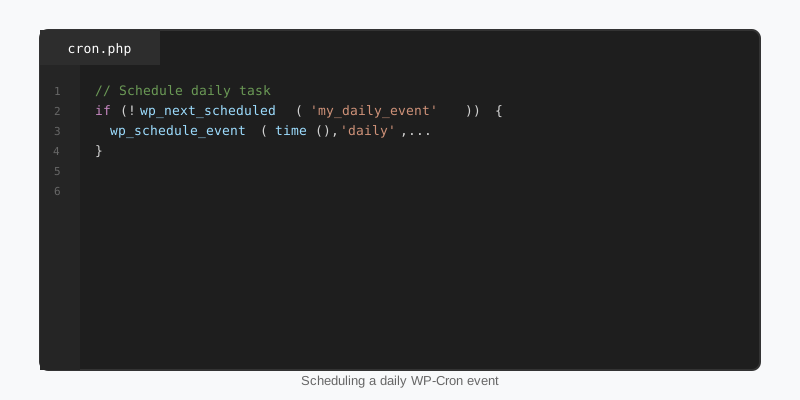
    if ( ! wp_next_scheduled( 'sf_sync_scores' ) ) {
        wp_schedule_event( time(), 'hourly', 'sf_sync_scores' );
    }
}
register_activation_hook( __FILE__, 'sf_activate_scheduler' );

// 3. Remove every copy on deactivation.
function sf_deactivate_scheduler() {
    wp_clear_scheduled_hook( 'sf_sync_scores' );
}
register_deactivation_hook( __FILE__, 'sf_deactivate_scheduler' );
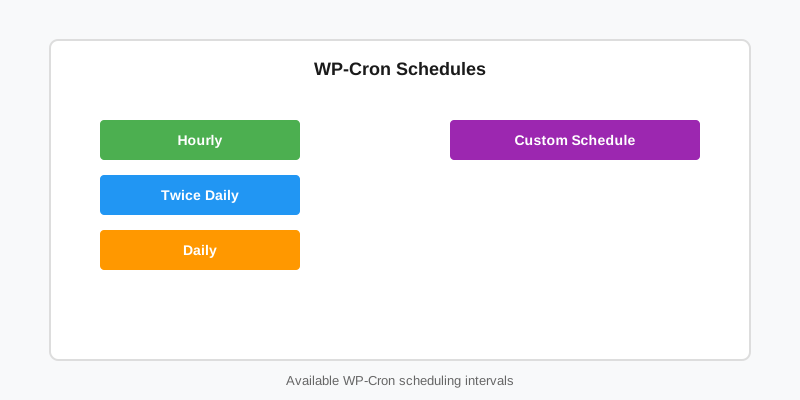
Three rules are encoded here. The add_action() sits at the top level of the plugin file, because when the scheduler fires the hook your callback must already be attached; an action registered only on activation is never there when the event runs. wp_next_scheduled() guards against duplicates, since every activation would otherwise add another copy. And wp_clear_scheduled_hook() removes all instances of the hook, including any with arguments. The built-in intervals are hourly, twicedaily, daily and weekly.
Custom intervals with the cron_schedules filter
Anything other than the four built-in intervals goes through the cron_schedules filter. Register the interval, then reference its key when scheduling.
add_filter( 'cron_schedules', function ( $schedules ) {
    $schedules['sf_every_five_minutes'] = array(
        'interval' => 5 * MINUTE_IN_SECONDS,
        'display'  => __( 'Every five minutes', 'sf-stats' ),
    );
    return $schedules;
} );

// Later, on activation:
if ( ! wp_next_scheduled( 'sf_poll_live_games' ) ) {
    wp_schedule_event( time(), 'sf_every_five_minutes', 'sf_poll_live_games' );
}
The filter must be registered before the schedule call, and it must stay registered, because WP-Cron re-reads the interval from the schedules list every time it reschedules the event. Remove the filter and the event runs once more and then disappears. A five-minute interval is also only honoured if traffic, or a system cron, arrives that often. For the general mechanics of filters see the hooks guide.
One-off events and arguments
Single events are for “do this once, later”: send a reminder, retry a failed import, purge a cache after a delay. Events are identified by hook name plus the serialised arguments, so the same hook with different arguments produces distinct events.
// Fire once, 15 minutes from now, with an argument.
$args = array( $order_id );
if ( ! wp_next_scheduled( 'sf_send_reminder', $args ) ) {
    wp_schedule_single_event( time() + 15 * MINUTE_IN_SECONDS, 'sf_send_reminder', $args );
}

// Arguments arrive as separate parameters: set the accepted count.
add_action( 'sf_send_reminder', function ( $order_id ) {
    sf_mail_order_reminder( $order_id );
}, 10, 1 );

// Cancel it later: the arguments must match exactly.
$timestamp = wp_next_scheduled( 'sf_send_reminder', $args );
if ( $timestamp ) {
    wp_unschedule_event( $timestamp, 'sf_send_reminder', $args );
}
Since WordPress 5.7 both scheduling functions accept a fourth parameter; pass true to receive a WP_Error explaining why a schedule failed instead of a bare false. Note that wp_schedule_single_event() silently refuses a duplicate when an identical event is already due within ten minutes, which is usually what you want and occasionally a surprise. Anything that produces a cached result rather than an action is often better served by the Transients API with a time-based expiry.
Replacing the page-load trigger with a system cron
On production, disable the automatic spawn and run the scheduler from the operating system on a fixed interval. This makes timing predictable, moves the work out of visitor requests, and lets long jobs run under CLI limits instead of web timeouts.
// wp-config.php
define( 'DISABLE_WP_CRON', true );

# crontab -e: run due events every five minutes
*/5 * * * * cd /var/www/example.com/public_html && wp cron event run --due-now --quiet

# without WP-CLI
*/5 * * * * curl -s "https://example.com/wp-cron.php?doing_wp_cron" > /dev/null 2>&1
DISABLE_WP_CRON only stops the automatic spawn. Scheduling functions keep working and the runner still executes when requested. On a multisite network every subsite keeps its own cron option, so the system cron must visit each site: loop over wp site list --field=url and pass each URL with --url=. The daily league-data syncs behind the StepFox sports themes run exactly this way, one WP-CLI invocation per site, which is also the approach described in the multisite setup guide.
Debugging WP-Cron when events do not run
Start with WP-CLI. wp cron event list shows every pending event with its next run time, wp cron test confirms the loopback request can reach the site, and wp cron event run sf_sync_scores executes one hook immediately so you can watch it fail in the terminal instead of guessing. Site Health reports the same loopback failure under “Scheduled events”.
- Loopback blocked. HTTP basic auth, a firewall, or a hosts file pointing the domain elsewhere stops the spawn. “Missed schedule” on posts is the same failure. A system cron sidesteps it entirely.
- Overlapping runs. The lock expires after
WP_CRON_LOCK_TIMEOUT(60 seconds by default), so a slow job can overlap with the next run. Make jobs idempotent and chunk large work into a single event that reschedules itself. - Callback missing. If the hook fires but nothing happens, the
add_action()is inside a conditional that is false during the cron request (checkingis_admin()is the classic case). - Cached option. With a persistent object cache the
cronoption can be stale after a direct database edit. Flush the cache after touching it by hand. - Alternate mode.
ALTERNATE_WP_CRONuses a redirect instead of a loopback when the server blocks self-requests. It works, but appends?doing_wp_cronto visitor URLs, so treat it as a last resort.
The Cron chapter of the Plugin Handbook covers the full API, and the wp_schedule_event() reference lists the filters that fire around each schedule call. If you are new to plugin structure, the plugin development basics guide shows where activation hooks belong.
Key takeaways
- WP-Cron stores events in the
cronoption and runs them via a loopback request on page load, so timing depends on traffic. - Schedule on activation behind
wp_next_scheduled(), clear on deactivation, and attach the worker withadd_action()on every request. - Custom intervals need a
cron_schedulesfilter that stays registered for the life of the event. - Single events are keyed by hook plus arguments; unscheduling needs the exact same arguments.
- On production set
DISABLE_WP_CRONand runwp cron event run --due-nowfrom a system cron, once per site on multisite. - Make every job idempotent; the lock is only 60 seconds and overlaps happen.

