

WordPress translation starts in code: every string a user sees has to pass through a gettext function with a text domain, and everything downstream, from .po files to language packs to the JSON files the block editor loads, depends on that being done correctly. This guide walks through internationalization (i18n) for PHP and JavaScript, the tooling that generates translation files, and the mistakes that make strings untranslatable.
How WordPress translation works end to end
The pipeline has four stages. You wrap strings in functions like __() and tag them with a text domain. A tool scans your code and writes a .pot template listing every string. Translators produce a .po file per locale, compiled to a binary .mo. At runtime, WordPress loads the .mo matching the site language and swaps strings as they are output.
Internationalization is the work you do in code to make the swap possible. Localization is the act of producing a specific language. Developers own the first; if you get it right, translators can do the second without ever touching PHP. The Internationalization API reference lists every function involved.
The gettext functions and when to use each
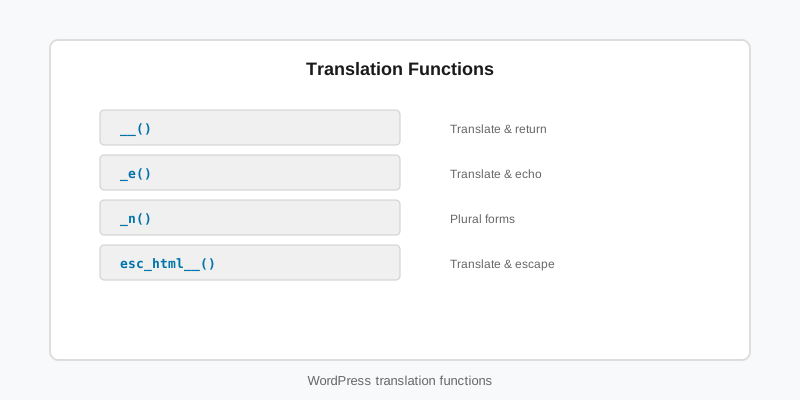
There are more functions than most people realise, and picking the right one is what makes a string both translatable and safe to output.
| Function | Use for |
|---|---|
__( $text, $domain ) | Return a translated string for later use |
_e( $text, $domain ) | Echo a translated string (unescaped) |
esc_html__() / esc_html_e() | Translate and escape for HTML text |
esc_attr__() / esc_attr_e() | Translate and escape for an attribute value |
_n( $single, $plural, $number, $domain ) | Plural forms; languages have between one and six |
_x( $text, $context, $domain ) | Disambiguate identical words (“Post” the noun vs the verb) |
_nx() | Plural with context |
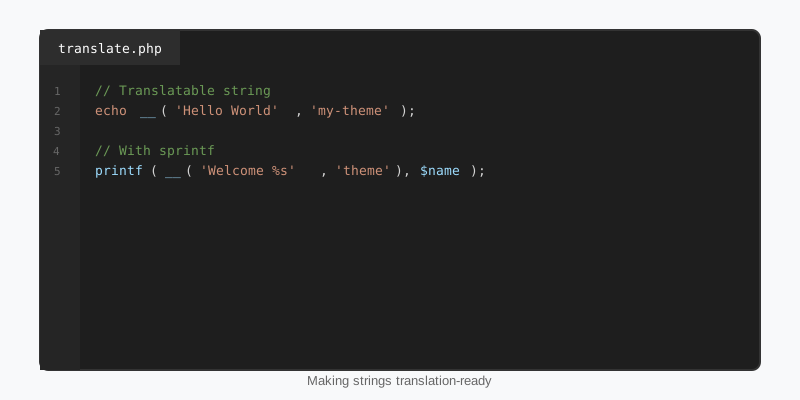
$count     = (int) $roster_size;
$team_name = get_the_title( $team_id );

printf(
    /* translators: 1: number of players, 2: team name */
    esc_html( _n( '%1$s player on %2$s', '%1$s players on %2$s', $count, 'sf-stats' ) ),
    number_format_i18n( $count ),
    esc_html( $team_name )
);

// Context separates the noun from the verb for translators.
$label = _x( 'Post', 'noun: a blog article', 'sf-stats' );

// Attributes need the attribute escaper, not the HTML one.
printf(
    '<button aria-label="%s">%s</button>',
    esc_attr__( 'Open player statistics', 'sf-stats' ),
    esc_html__( 'Stats', 'sf-stats' )
);
Every rule in that snippet exists for a reason. Numbered placeholders (%1$s) let a translator reorder words. The translators: comment immediately above the call is extracted into the .pot file so the translator knows what each placeholder is. number_format_i18n() formats the number for the locale. And the text domain is a literal string every time; a variable or constant there cannot be found by the extraction tools.
Text domains and loading translation files
The text domain is the key that ties strings to their WordPress translation file. Use the plugin or theme slug, declare it in the header (Text Domain: sf-stats), and use the same string in every function call. A domain that differs between files, or between PHP and JavaScript, produces strings that are extracted but never translated.
Since WordPress 4.6, plugins and themes hosted on WordPress.org have their language packs loaded automatically; you do not need load_plugin_textdomain() for them. For anything distributed outside the directory, such as a premium theme, you still ship a languages/ folder and load it yourself. In a block theme, template and pattern strings are translated through PHP pattern files and the theme.json title and name fields, which core reads through the same text domain; our block themes guide covers where those files live.
Load translations on init. Loading earlier, which WordPress 6.7 now warns about with a _doing_it_wrong notice, happens before the user’s locale is known and produces the wrong language for logged-in users who have set their own.
Translating JavaScript and blocks
Block editor code has its own strings, and WordPress translation for JavaScript uses a different file format: one JSON file per script, generated from the .po. In your JavaScript, import the functions from @wordpress/i18n and use them exactly as in PHP. On the PHP side, tell WordPress which script needs which domain.
// PHP: register the script, then attach translations to its handle.
add_action( 'init', function () {
    wp_register_script(
        'sf-stats-editor',
        plugins_url( 'build/index.js', __FILE__ ),
        array( 'wp-blocks', 'wp-element', 'wp-i18n', 'wp-block-editor' ),
        '1.4.0',
        true
    );

    wp_set_script_translations(
        'sf-stats-editor',
        'sf-stats',
        plugin_dir_path( __FILE__ ) . 'languages'
    );
} );

// JavaScript (src/index.js)
import { __, _n, sprintf } from '@wordpress/i18n';

const label = __( 'Season', 'sf-stats' );
const notice = sprintf(
    /* translators: %d: number of games */
    _n( '%d game', '%d games', games, 'sf-stats' ),
    games
);
If you register blocks with block.json and register_block_type(), set "textdomain" in the JSON and core handles wp_set_script_translations() for the editor script automatically. Strings inside block.json itself (title, description, keywords) are translated too. Our block development guide covers the rest of that file.
Generating .pot, .po, .mo and JSON files
WP-CLI’s i18n command is the modern WordPress translation toolchain and replaces the old Poedit and makepot workflows. Run it from the plugin or theme root. It scans PHP, JavaScript and block.json, respects the translators: comments, and knows the WordPress-specific function names.
# 1. Extract every string into a template.
wp i18n make-pot . languages/sf-stats.pot --domain=sf-stats --exclude=node_modules,vendor

# 2. Translators create languages/sf-stats-de_DE.po from the .pot (Poedit, Loco, GlotPress).

# 3. Compile binary files WordPress loads at runtime.
wp i18n make-mo languages/

# 4. Split JavaScript strings into per-script JSON files.
wp i18n make-json languages/ --no-purge
The --no-purge flag keeps JavaScript strings in the .po as well as the JSON, which you want if PHP and JavaScript share strings. Commit the .pot; treat .mo and JSON as build artefacts. WordPress 6.5 added support for a .l10n.php format that loads faster than .mo; wp i18n make-php languages/ generates it and core prefers it when both exist.
Common WordPress translation mistakes
- Variables inside the string.
__( "Welcome $name" )is invisible to extraction and never matches. Use a placeholder andsprintf(). - Concatenating fragments.
__( 'You have ' ) . $n . __( ' games' )cannot be reordered for languages with different word order. One string, numbered placeholders. - Faking plurals.
$n === 1 ? __( 'game' ) : __( 'games' )is wrong for Russian, Arabic and Polish. Use_n(). - Escaping before translating.
__( esc_html( $x ) )is backwards. Translate first, escape the result:esc_html__(). - Translating in a global scope before
init. The locale is not known yet. Wrap in a function that runs on a hook. - Hard-coding date and number formats. Use
wp_date()withget_option( 'date_format' )andnumber_format_i18n().
A quick WordPress translation self-audit: switch the site language to a locale you do not speak and click through the admin screens. Every string still in English is a bug. The Plugin Handbook internationalization chapter has a longer checklist if you want one. Themes and plugins in the StepFox catalogue ship a .pot file for exactly this reason, and the checklist above is what our plugin development basics guide expects you to have in place before release.
Key takeaways
- Wrap every user-facing string in a gettext function with a literal text domain; extraction tools cannot follow variables.
- Use
_n()for plurals,_x()for context, numbered placeholders for reordering, and theesc_*__()variants for output. - Load translations on
initor later; never in global scope. - JavaScript strings need
wp_set_script_translations()and per-script JSON files, or atextdomaininblock.json. - Generate files with
wp i18n make-pot,make-mo,make-jsonand, for speed,make-php. - Test by switching the site to a language you cannot read.

