


WordPress multisite turns one WordPress install into a network of sites that share a codebase, a users table and a network admin, while each site keeps its own content tables, uploads and settings. It is the setup we run at StepFox to host dozens of theme demos on a single install, and it suits universities, franchises, multilingual builds and any agency that wants one place to update plugins. This guide covers enabling the network, choosing its URL structure, managing it from WP-CLI and writing code that behaves correctly inside it.
What WordPress multisite changes under the hood
A single-site install has one set of tables. A network keeps one shared wp_users and wp_usermeta, adds network tables (wp_blogs, wp_blogmeta, wp_site, wp_sitemeta, wp_signups, wp_registration_log), and creates a full content set per site with a numeric prefix: wp_2_posts, wp_2_options and so on. Site 1 keeps the plain prefix. Our database tables guide walks through each one.
Plugins and themes are installed once, in the shared wp-content. A plugin can be activated per site or network-activated for all of them. A theme must be network-enabled before a site administrator can see it, unless it is enabled for that one site from Network Admin > Sites. Uploads land in wp-content/uploads/sites/{id}/ for every site except the first.
Roles change too. Above administrator sits the super admin, the only role that can install code, add sites and edit users across the network. Ordinary administrators lose unfiltered_html, so pasted script tags are stripped from their posts. The roles and capabilities guide explains how to grant it back deliberately if a client needs it.
Enabling the network
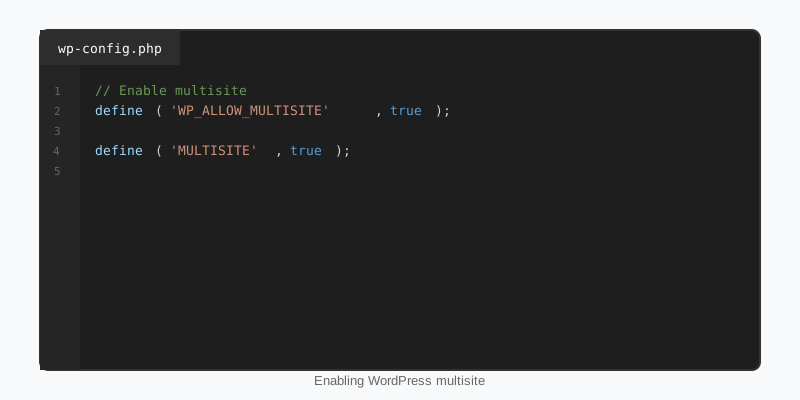
Turning a single site into a WordPress multisite network takes about ten minutes. Deactivate all plugins first. Add define( 'WP_ALLOW_MULTISITE', true ); above the “stop editing” line in wp-config.php, reload wp-admin and open Tools > Network Setup. Choose subdomains or subdirectories, submit, and WordPress hands you two snippets: constants for wp-config.php and rewrite rules for .htaccess. A subdirectory install looks like this.
// wp-config.php
define( 'WP_ALLOW_MULTISITE', true );
define( 'MULTISITE', true );
define( 'SUBDOMAIN_INSTALL', false );
define( 'DOMAIN_CURRENT_SITE', 'example.com' );
define( 'PATH_CURRENT_SITE', '/' );
define( 'SITE_ID_CURRENT_SITE', 1 );
define( 'BLOG_ID_CURRENT_SITE', 1 );

# .htaccess (Apache / LiteSpeed, subdirectory install)
RewriteEngine On
RewriteRule .* - [E=HTTP_AUTHORIZATION:%{HTTP:Authorization}]
RewriteBase /
RewriteRule ^index\.php$ - [L]

# add a trailing slash to /wp-admin
RewriteRule ^([_0-9a-zA-Z-]+/)?wp-admin$ $1wp-admin/ [R=301,L]

RewriteCond %{REQUEST_FILENAME} -f [OR]
RewriteCond %{REQUEST_FILENAME} -d
RewriteRule ^ - [L]
RewriteRule ^([_0-9a-zA-Z-]+/)?(wp-(content|admin|includes).*) $2 [L]
RewriteRule ^([_0-9a-zA-Z-]+/)?(.*\.php)$ $2 [L]
RewriteRule . index.php [L]
Log in again and a Network Admin menu appears in the toolbar. One rule surprises people: on an install older than about a month with existing content, WordPress hides the subdirectory option to avoid clashes between site paths and existing permalinks. The allow_subdirectory_install filter overrides that check if you know the URLs do not collide. The full walkthrough lives in the Create a Network chapter of the Advanced Administration handbook.
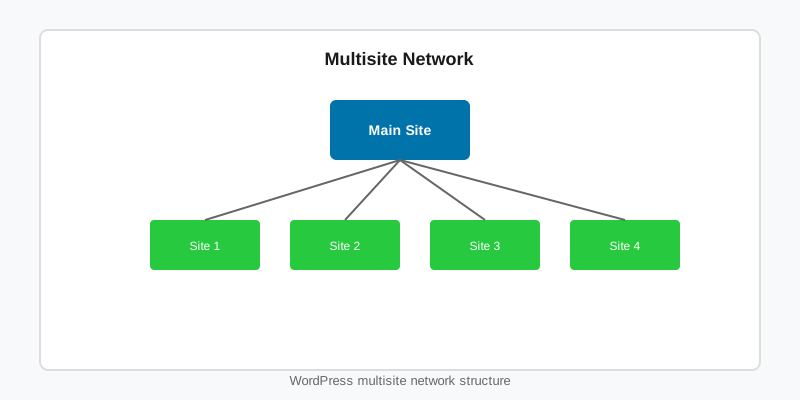
Subdomains, subdirectories and mapped domains
Subdirectories (example.com/courtside/) need nothing beyond the rewrite rules above. Subdomains (courtside.example.com) need a wildcard DNS record, a wildcard virtual host and a certificate that covers *.example.com. The choice is permanent in practice; converting later means rewriting every URL in every site’s tables.
Mapping a custom domain to a subsite has been native since WordPress 4.5. Open Network Admin > Sites, edit the site and change its Site Address to https://clientdomain.com. Point the domain’s DNS at the server, issue a certificate for it, and you are done; the old sunrise.php drop-in is only needed for exotic cases like mapping several domains to one site.
Managing a WordPress multisite from WP-CLI
The network admin screens are fine for a handful of sites. Beyond that, WP-CLI is faster and scriptable. The single most important habit is passing --url=; without it every command silently runs against the main site.
# Create a site and list the network
wp site create --slug=courtside --title="Courtside Demo" --email=admin@example.com
wp site list --fields=blog_id,url,last_updated

# Run a command against one subsite
wp theme activate courtside --url=https://example.com/courtside/
wp option get blogname --url=https://example.com/courtside/

# Network-activate a plugin, network-enable a theme
wp plugin activate stepfox-looks --network
wp theme enable courtside --network

# Do something on every site
wp site list --field=url | xargs -I % wp cache flush --url=%
wp site archive, wp site deactivate and wp site delete cover the lifecycle, and wp super-admin add promotes a user without touching the UI. For a bulk change across the network, loop wp site list --field=url exactly as in the last line and let each site run in its own process; that isolates a fatal on one site from the rest.
Writing code that respects the network
Most plugin code works unchanged on WordPress multisite because the table prefix, options and uploads are resolved per request. Code breaks when it needs to read across sites, store something network-wide, or create tables on activation. The primitives are switch_to_blog() paired with restore_current_blog(), get_sites() to enumerate the network, and get_site_option() / update_site_option() for values that belong to the network rather than a site.
// Collect the newest post from every public site in the network.
function stepfox_network_latest_posts( $per_site = 1 ) {
    if ( ! is_multisite() ) {
        return array();
    }

    $sites = get_sites(
        array(
            'public'   => 1,
            'archived' => 0,
            'deleted'  => 0,
            'number'   => 100,
        )
    );

    $posts = array();

    foreach ( $sites as $site ) {
        switch_to_blog( (int) $site->blog_id );

        foreach ( get_posts( array( 'posts_per_page' => $per_site ) ) as $post ) {
            $posts[] = array(
                'site'  => get_bloginfo( 'name' ),
                'title' => $post->post_title,
                'url'   => get_permalink( $post ),
            );
        }

        restore_current_blog();
    }

    return $posts;
}
switch_to_blog() swaps the table prefix and the options cache, nothing else. The active theme’s functions and the loaded plugins stay those of the original site, so do not expect a switched site’s functions.php to run. Every switch must be balanced by restore_current_blog(); chaining switches and calling restore once leaves the stack in the wrong place.
Activation hooks receive a $network_wide boolean. When it is true, loop get_sites() and run your table creation inside a switch for each site, and hook wp_initialize_site so new sites get the tables too. The plugin development basics guide has the activation pattern this builds on.
Operating a network day to day
Running WordPress multisite means one codebase and therefore one point of failure. A plugin update that fatals takes every site down at once, so stage updates on a copy of the network before applying them live. After a core update, visit Network Admin > Updates and run Upgrade Network, which walks each site’s wp_{id}_options and applies the database changes.
Caching needs care. Persistent object caches key by site id, but full-page caches frequently serve one site’s HTML for another when the cache key ignores the host or path. Always verify a subsite logged out, on its own URL, after clearing the cache. Backups are simpler than people fear: a single mysqldump of the database plus wp-content captures every site, and wp export --url= pulls one site out as WXR when a client leaves.
Finally, WordPress multisite is a good fit for theme showcases and client portfolios precisely because each subsite can run a different theme on the same code. Every demo in our theme catalogue is a subsite of one network, which is how we keep fifty-plus demos on a single update cycle.
Key takeaways
- WordPress multisite shares users, code and the network admin; each site gets its own prefixed content tables and upload folder.
- Enable it with
WP_ALLOW_MULTISITE, then paste the constants and rewrite rules from Tools > Network Setup. - Subdomains need wildcard DNS and certificates; subdirectories need nothing extra. Domain mapping is native via the site’s Site Address.
- Always pass
--url=to WP-CLI on a network, and loopwp site list --field=urlfor bulk jobs. - Pair every
switch_to_blog()withrestore_current_blog(), and useget_site_option()for network-wide settings. - Stage updates: one broken plugin breaks the whole network.

