


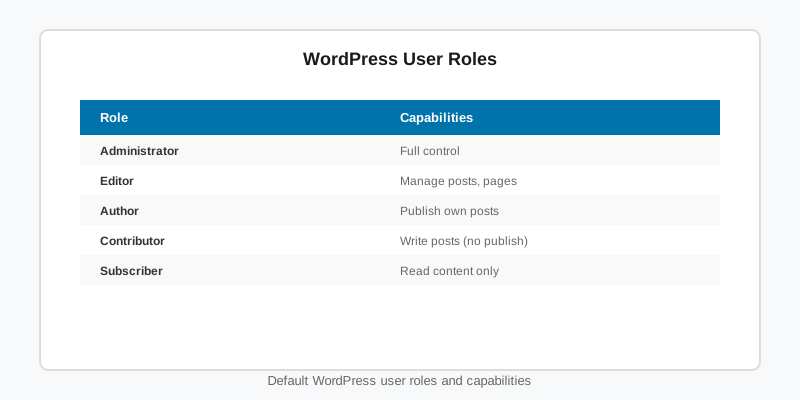
WordPress user roles are named bundles of capabilities: Administrator, Editor, Author, Contributor and Subscriber each carry a fixed list of things a user may do, and every permission check in core asks about a capability, never a role. This guide explains how the two fit together, how to register your own roles and capabilities correctly, how to check permissions in templates and REST endpoints, and the mistakes that leave sites either locked down or wide open.
How WordPress user roles and capabilities fit together
A capability is a flat string such as edit_posts or manage_options. A role is a name plus an array of capabilities with true or false grants. WordPress user roles are stored in a single option, wp_user_roles, in the options table (prefixed per site on multisite, so site 2 has wp_2_user_roles). A user is linked to roles through the wp_capabilities usermeta row, which can hold more than one role at once.
Two things follow. Roles are persistent data, not code: registering a role writes to the database once and does not need to run on every request. And core never asks “is this user an editor”; it asks current_user_can( 'edit_others_posts' ). Write your code the same way and your custom roles, and any client plugin that reshuffles capabilities later, keep working.
| Role | Representative capabilities | Typical use |
|---|---|---|
| Administrator | manage_options, install_plugins, edit_theme_options, edit_users | Site owners only |
| Editor | edit_others_posts, publish_pages, manage_categories, moderate_comments | Managing all content |
| Author | publish_posts, upload_files, edit_published_posts | Writers who own their posts |
| Contributor | edit_posts, delete_posts (own, unpublished) | Guest writers awaiting review |
| Subscriber | read | Members and commenters |
On a multisite network there is a sixth level, Super Admin, which is not a role at all. It is a list of usernames in the site_admins network option, and it grants every capability on every site. The multisite setup guide covers how that interacts with per-site administrators.
Registering a custom role with add_role()
add_role() creates the role and saves it to the option. Because the result persists, call it on plugin activation and remove it on uninstall, not on init. It is harmless the second time (it returns null when the role already exists) but it is the wrong place for one-time setup, and it hides the fact that removal needs its own code.
function sf_register_stats_editor_role() {
    add_role(
        'stats_editor',
        __( 'Stats Editor', 'sf-stats' ),
        array(
            'read'                => true,
            'upload_files'        => true,
            'edit_players'        => true,
            'edit_others_players' => true,
            'publish_players'     => true,
            'delete_players'      => true,
        )
    );
}
register_activation_hook( __FILE__, 'sf_register_stats_editor_role' );

function sf_remove_stats_editor_role() {
    remove_role( 'stats_editor' );
}
register_uninstall_hook( __FILE__, 'sf_remove_stats_editor_role' );
The capabilities in that array are not built in. They belong to a custom post type, which is where most real-world role work happens.
Custom post types and their own capabilities
When you register a post type with capability_type set to something other than post and map_meta_cap set to true, WordPress generates a full set of primitive capabilities (edit_players, edit_others_players, publish_players, read_private_players, delete_players and more) and maps the per-object meta capabilities edit_post, delete_post and read_post onto them. Nobody holds these new capabilities until you grant them, including administrators.
register_post_type( 'player', array(
    'label'           => 'Players',
    'public'          => true,
    'show_in_rest'    => true,
    'capability_type' => array( 'player', 'players' ),
    'map_meta_cap'    => true,
    'supports'        => array( 'title', 'editor', 'thumbnail' ),
) );

function sf_grant_player_caps() {
    $caps = array(
        'edit_players', 'edit_others_players', 'publish_players',
        'read_private_players', 'delete_players', 'delete_others_players',
        'delete_private_players', 'delete_published_players',
        'edit_private_players', 'edit_published_players',
    );
    foreach ( array( 'administrator', 'editor' ) as $role_name ) {
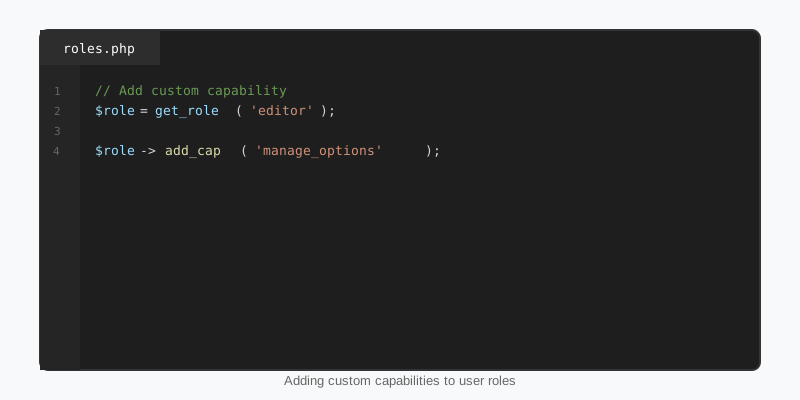
        $role = get_role( $role_name );
        if ( ! $role ) {
            continue;
        }
        foreach ( $caps as $cap ) {
            $role->add_cap( $cap );
        }
    }
}
register_activation_hook( __FILE__, 'sf_grant_player_caps' );
Each add_cap() call writes the option, so this belongs on activation too. This is how the team and player post types behind the Yardline football theme are wired: editors manage rosters, subscribers read them, and nobody else touches them. The custom post types guide walks through the rest of the register_post_type() arguments.
Checking permissions the right way
Use current_user_can() for the logged-in user and user_can() for anyone else. For meta capabilities, pass the object ID so the check goes through map_meta_cap() and respects ownership and post status. The same rule applies to REST permission callbacks, admin screens and AJAX handlers.
// Template: show an edit link only to users who may edit this post.
if ( current_user_can( 'edit_post', get_the_ID() ) ) {
    edit_post_link( __( 'Edit', 'sf-theme' ) );
}

// REST: gate an endpoint on a capability, never on a role name.
register_rest_route( 'sf/v1', '/scores', array(
    'methods'             => WP_REST_Server::EDITABLE,
    'callback'            => 'sf_update_scores',
    'permission_callback' => function () {
        return current_user_can( 'edit_others_players' );
    },
) );

// Adjust one rule at runtime without editing any role.
add_filter( 'map_meta_cap', function ( $caps, $cap, $user_id, $args ) {
    if ( 'delete_post' === $cap && ! empty( $args[0] ) && 'player' === get_post_type( $args[0] ) ) {
        $caps[] = 'manage_options'; // only administrators may delete players
    }
    return $caps;
}, 10, 4 );
The map_meta_cap filter is the escape hatch for one-off rules. It returns the list of primitive capabilities the user must hold, so appending manage_options means “and also be an administrator”. If you are building endpoints, the REST API tutorial shows how permission callbacks fit into a full route.
Mistakes that break WordPress user roles
Most bugs around WordPress user roles come from treating a role as if it were a permission. The rest come from forgetting that roles are stored data.
- Checking role names.
in_array( 'editor', $user->roles )fails for custom roles and for users with several roles. Check a capability instead. - Registering on every request.
add_role()andadd_cap()persist. Calling them oninitwastes writes and makes cleanup an afterthought. - Skipping cleanup. Pair every
add_role()withremove_role()and everyadd_cap()withremove_cap()on uninstall, or the grants outlive the plugin. - Editing
wp_user_rolesby hand. It is a serialised array and easy to corrupt. Use the API, orwp roleandwp capin WP-CLI. - Handing out
unfiltered_htmloredit_files. These are administrator-level in practice. Never grant them to a content role; the security hardening guide explains why. - Assuming one role set on multisite. Each site has its own option. Run role setup for new sites on the
wp_initialize_siteaction as well as on activation.
Managing roles from WP-CLI
For one-off changes on a live site, WP-CLI is faster and safer than a role-editor plugin, and it leaves a record in your shell history.
wp role list
wp role create stats_editor "Stats Editor" --clone=editor
wp cap add stats_editor edit_players publish_players
wp cap list stats_editor
wp user add-role 42 stats_editor
wp role reset editor          # restore a default role's original caps
--clone copies every capability from an existing role, which is the quickest way to build “Editor plus a little more”. The full reference for the API is the Roles and Capabilities chapter of the Plugin Handbook, and add_role() documents the return values used above.
Key takeaways
- WordPress user roles are stored data in
wp_user_roles; capabilities are the flat strings core actually checks. - Always test with
current_user_can()and a capability; never compare role names. - Register roles and grant capabilities on activation, and remove them on uninstall.
- Custom post types with
map_meta_capget their own capability set that nobody holds until you grant it. - Use the
map_meta_capfilter for one-off rules instead of rewriting roles. - On multisite, every site has its own role option and Super Admin bypasses all of them.

