


WordPress transients are the simplest cache WordPress ships with: a named value with an expiry time, stored in the options table or, when a persistent object cache is installed, in memory. Used well they remove expensive queries and slow remote API calls from the request path. Used badly they bloat wp_options and serve stale data with no way to clear it.
What WordPress transients are and where they live
A transient is a key, a value, and an optional expiry in seconds. Without an object cache drop-in, WordPress stores it as two rows in wp_options: _transient_{key} for the value and _transient_timeout_{key} for the expiry timestamp. Both are saved with autoload set to no when an expiry is given, so they do not load on every page.
With Redis or Memcached installed through an object-cache.php drop-in, the same functions bypass the database entirely and write to the cache backend. Your code does not change. That is the main selling point of the Transients API over calling get_option() yourself: it is the one caching layer that behaves sensibly on both a cheap shared host and a tuned server.
Keys are limited to 172 characters, and the value can be anything serialisable: strings, arrays, objects. Do not store huge HTML fragments if you can store the data that produced them.
The three functions you need
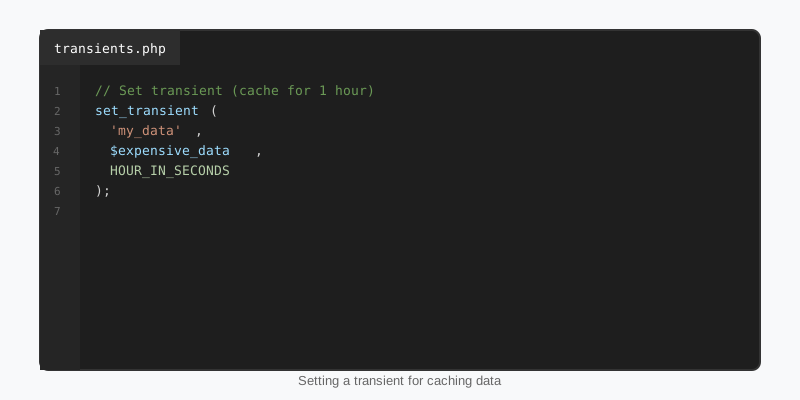
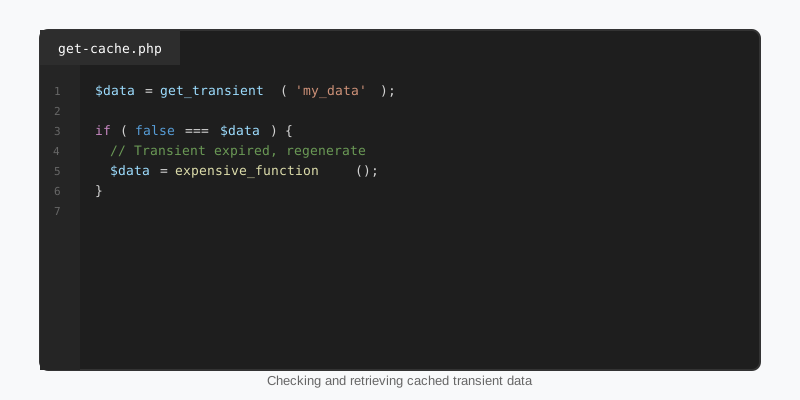
The whole WordPress transients API is set_transient(), get_transient() and delete_transient(), plus site-wide variants for multisite. The pattern is always the same: try to read, and on a miss do the expensive work and write the result back.
function sf_get_live_scores() {
    $scores = get_transient( 'sf_live_scores' );

    if ( false !== $scores ) {
        return $scores;
    }

    $response = wp_remote_get(
        'https://api.example.com/v1/scores',
        array( 'timeout' => 8 )
    );

    if ( is_wp_error( $response ) || 200 !== wp_remote_retrieve_response_code( $response ) ) {
        return array();
    }

    $scores = json_decode( wp_remote_retrieve_body( $response ), true );
    if ( ! is_array( $scores ) ) {
        $scores = array();
    }

    set_transient( 'sf_live_scores', $scores, 5 * MINUTE_IN_SECONDS );

    return $scores;
}
Note the strict false !== $scores comparison. get_transient() returns false on a miss, and an empty array or 0 is a perfectly valid cached value. A loose if ( ! $scores ) check would refetch every request whenever the API returns no games, which is exactly when you least want to hammer it. The time constants MINUTE_IN_SECONDS, HOUR_IN_SECONDS and DAY_IN_SECONDS are defined by core and make expiry values readable.
Caching a slow query
Remote requests are the obvious case, but the more common use of WordPress transients on content sites is hiding a slow WP_Query: a “most viewed this week” list ordered by a meta value, or a taxonomy-heavy related posts block. Cache the list of post IDs rather than the rendered HTML or the full post objects. IDs are tiny, they do not go stale when a title is edited, and get_post() on a cached ID is nearly free.
function sf_get_trending_ids() {
    $ids = get_transient( 'sf_trending_ids' );

    if ( false === $ids ) {
        $ids = get_posts( array(
            'post_type'      => 'post',
            'posts_per_page' => 6,
            'date_query'     => array( array( 'after' => '7 days ago' ) ),
            'meta_key'       => 'sf_view_count',
            'orderby'        => 'meta_value_num',
            'order'          => 'DESC',
            'fields'         => 'ids',
            'no_found_rows'  => true,
        ) );

        set_transient( 'sf_trending_ids', $ids, HOUR_IN_SECONDS );
    }

    return $ids;
}
The WP_Query guide explains why that meta_value_num ordering is expensive in the first place. A one-hour transient turns it from a query that runs on every page view into one that runs twenty-four times a day.
Expiry is a hint, not a guarantee
Two behaviours surprise people. First, WordPress transients with an expiry can vanish early. An object cache under memory pressure evicts whatever it likes, and some hosts flush caches on deploy. Your code must always be able to rebuild the value; never treat a transient as storage.
Second, expired transients are not deleted on a schedule. In the database backend, an expired row is only removed when something calls get_transient() for that key. Core runs a cleanup of expired transients during upgrades, and WP-CLI offers wp transient delete --expired, but on a busy site with dynamic keys (for example a transient per search term) you can accumulate thousands of dead rows. Avoid keys that grow without bound; if you must use them, schedule a cleanup with WP-Cron.
A transient set with no expiry is saved with autoload set to yes, which means it loads on every request along with every other autoloaded option. Always pass an expiry, even a long one.
Invalidate on change instead of waiting
A one-hour expiry means an editor who publishes a story may wait an hour to see it in the trending list. The fix is to delete the transient when the underlying data changes, and let the next request rebuild it. Hook the events that matter and call delete_transient().
function sf_flush_trending_cache( $post_id, $post ) {
    if ( wp_is_post_revision( $post_id ) || wp_is_post_autosave( $post_id ) ) {
        return;
    }

    if ( ! in_array( $post->post_status, array( 'publish', 'trash' ), true ) ) {
        return;
    }

    delete_transient( 'sf_trending_ids' );
}
add_action( 'save_post_post', 'sf_flush_trending_cache', 10, 2 );
add_action( 'deleted_post', 'sf_flush_trending_cache', 10, 2 );
Keep the invalidation narrow. Deleting every transient on every save, which some plugins do, defeats the purpose and produces a burst of cold rebuilds the moment an editor hits Update. Give each cached dataset its own key and its own trigger.
Multisite, object caches and what not to cache
On a multisite network, WordPress transients are per site: set_transient() writes to the current site’s options table. If the value is genuinely shared across the network, such as a licence check or a network-wide feed, use set_site_transient() and get_site_transient(), which write to wp_sitemeta instead. Mixing them up leads to one site’s cache showing on another.
When a persistent object cache is present, transients share its memory with everything else. A 2 MB serialised array of full post objects is a bad citizen there and a bad citizen in wp_options. Store IDs, counts and small API payloads. Never cache anything user-specific under a shared key, and never cache nonces or capability checks.
Transients also stack cleanly with full-page caching. The stats plugins that ship with StepFox sports themes cache league standings with short transients so that a page cache miss still costs one option read rather than a round trip to the league API. For the wider picture, see our performance optimization guide.
Key takeaways
- WordPress transients live in
wp_optionsby default and move to Redis or Memcached automatically when an object cache drop-in is installed. - Always compare
get_transient()againstfalsewith!==; empty values are valid cache hits. - Cache post IDs and small API payloads, not rendered HTML or full post objects.
- Always set an expiry, and never rely on the value still being there.
- Delete the transient on
save_postordeleted_postso editors see changes immediately. - Use site transients for network-wide data on multisite, and avoid unbounded dynamic keys.

