


WordPress security is less about installing one more plugin and more about closing the handful of doors attackers actually walk through: outdated extensions, weak credentials, writable files and code that trusts its input. This guide covers hardening the installation, writing code that cannot be abused, locking down accounts, and keeping the site that way after launch.
Where WordPress security actually fails
Look at any year of disclosed vulnerabilities and the pattern is consistent. Core accounts for a tiny fraction; the overwhelming majority are in plugins and themes, and most of those are the same three bug classes: missing capability checks, missing nonce checks, and unescaped output. Add reused passwords and installs that have not been updated in months and you have covered almost every real compromise.
That makes a useful WordPress security plan specific rather than vague. Reduce the code surface, update what remains, make write access hard to obtain, and make sure your own code validates on the way in and escapes on the way out. Everything below maps to one of those four goals.
Harden the installation
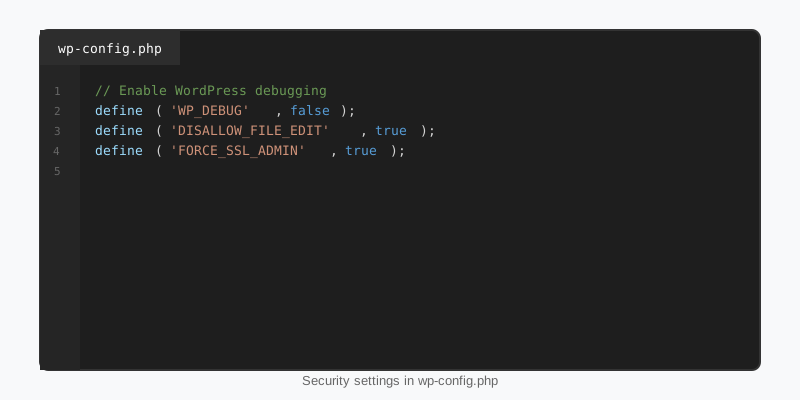
Start with wp-config.php. The constants below remove the admin file editor, which turns a stolen administrator login into a remote shell, force SSL for the dashboard, and, on sites where you deploy code rather than install it through wp-admin, block plugin and theme installs entirely. Regenerate the salts when you set the site up and any time you suspect a leak, because rotating them invalidates every existing session.
// wp-config.php
define( 'DISALLOW_FILE_EDIT', true );      // removes the theme and plugin file editors
define( 'DISALLOW_FILE_MODS', true );      // no installs or updates from wp-admin; deploy with WP-CLI
define( 'FORCE_SSL_ADMIN', true );
define( 'WP_AUTO_UPDATE_CORE', 'minor' );  // security and maintenance releases apply automatically

// Fresh values from https://api.wordpress.org/secret-key/1.1/salt/
define( 'AUTH_KEY',         'put your unique phrase here' );
define( 'SECURE_AUTH_KEY',  'put your unique phrase here' );
// ... plus the remaining six keys and salts

// Turn off XML-RPC if nothing uses it (Jetpack and the mobile app do)
add_filter( 'xmlrpc_enabled', '__return_false' );
The xmlrpc_enabled filter belongs in a small mu-plugin rather than wp-config.php, but it earns its place on the list: system.multicall lets an attacker test hundreds of passwords in one request. File permissions should be 755 for directories, 644 for files, and 600 or 640 for wp-config.php depending on how PHP runs. Delete plugins and themes you are not using rather than deactivating them, since inactive code is still reachable by direct URL if it ships a vulnerable standalone file.
Validate, sanitise and escape in your own code
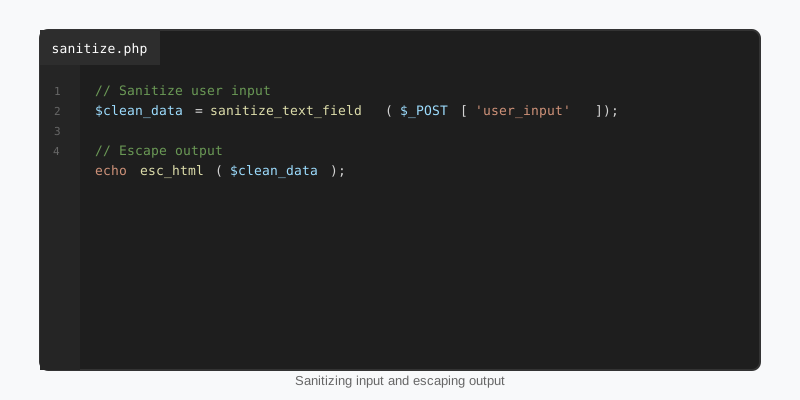
Most WordPress security advice stops at plugins and passwords, but if you write code the rules are on you. The three verbs are distinct. Validate means reject input that is not what you expect. Sanitise means coerce it into a safe shape. Escape means make it safe for the specific context you are printing into, at the moment of printing. The Plugin Handbook security section lists the core function for each case.
Sanitise as close to the input as possible and escape every time you output, even values you sanitised earlier. Use esc_html() for text nodes, esc_attr() inside attributes, esc_url() for href and src, and wp_kses_post() for rich content that legitimately contains markup. Database queries go through $wpdb->prepare() with placeholders; concatenating a variable into SQL is never acceptable, however trusted the source looks.
// Read request values through a sanitiser, never raw
$search = isset( $_GET['q'] ) ? sanitize_text_field( wp_unslash( $_GET['q'] ) ) : '';
$page   = isset( $_GET['pg'] ) ? max( 1, absint( $_GET['pg'] ) ) : 1;

// Prepared statement with typed placeholders
global $wpdb;
$rows = $wpdb->get_results( $wpdb->prepare(
    "SELECT ID, post_title FROM {$wpdb->posts}
     WHERE post_status = 'publish' AND post_type = 'post' AND post_title LIKE %s
     ORDER BY post_date DESC LIMIT %d, 20",
    '%' . $wpdb->esc_like( $search ) . '%',
    ( $page - 1 ) * 20
) );

// Escape for the exact context at output time
foreach ( $rows as $row ) {
    printf(
        '<li><a href="%s">%s</a></li>',
        esc_url( get_permalink( $row->ID ) ),
        esc_html( $row->post_title )
    );
}
Nonces and capability checks on every action
A nonce proves the request came from a form or link that WordPress generated for this user, which defends against cross-site request forgery. A capability check proves the user is allowed to perform the action at all. They are not interchangeable, and the most common plugin vulnerability of the past few years is an AJAX or admin-post handler that has one but not the other.
// The form
<form method="post" action="<?php echo esc_url( admin_url( 'admin-post.php' ) ); ?>">
    <?php wp_nonce_field( 'sf_save_settings', 'sf_nonce' ); ?>
    <input type="hidden" name="action" value="sf_save_settings">
    <input type="text" name="sf_api_key">
    <button>Save</button>
</form>

// The handler: capability first, then nonce, then sanitised input
add_action( 'admin_post_sf_save_settings', function () {
    if ( ! current_user_can( 'manage_options' ) ) {
        wp_die( 'Not allowed', '', array( 'response' => 403 ) );
    }
    check_admin_referer( 'sf_save_settings', 'sf_nonce' );

    $key = sanitize_text_field( wp_unslash( $_POST['sf_api_key'] ?? '' ) );
    update_option( 'sf_api_key', $key );

    wp_safe_redirect( add_query_arg( 'updated', '1', wp_get_referer() ) );
    exit;
} );
For REST endpoints the equivalent is permission_callback; for AJAX it is check_ajax_referer() plus current_user_can() inside the wp_ajax_ handler. Never use a nonce as an authorisation check on its own: nonces are per-user tokens, and a subscriber can obtain one just as easily as an administrator. The nonces reference explains their 12 to 24 hour lifetime and why a stale nonce fails silently in cached pages.
Accounts, logins and roles
Credential attacks are volume attacks, so the goal is to make each attempt cost more. Enforce long passwords, enable two-factor authentication for anyone at editor level or above, and rate-limit login attempts at the server or with a plugin. Rename or remove any account literally called admin. Any external service that needs the REST API should get an Application Password, which can be revoked on its own, never the real login.
WordPress security for accounts is mostly least privilege. Authors do not need unfiltered_html, and a client who only publishes posts does not need Administrator. The roles and capabilities guide shows how to define a narrow custom role. Two smaller leaks are worth closing as well: redirect ?author=1 style enumeration to a 404 on sites that do not use author archives, and hook login_errors so the login form stops saying which half of the credentials was wrong.
Updates, backups and monitoring
Unpatched software is the single biggest cause of compromise, so treat WordPress security updates as a schedule, not an event. Minor core releases update themselves by default; for plugins you trust, turn on auto-updates per plugin through the auto_update_plugin filter or the dashboard toggle, and review the rest weekly. On a staging copy first if the site earns money.
Backups only count if you have restored one. Keep them off the web server, keep at least a month of history so a compromise you notice late is still recoverable, and store the database and uploads separately from code you can redeploy. For monitoring, watch for file changes outside deployments, spikes of 4xx responses on wp-login.php and xmlrpc.php, and new administrator accounts you did not create. Site Health under Tools flags the obvious configuration gaps.
Finally, keep the code surface small. A block theme that expresses its design as block attributes, the approach every StepFox theme takes, has almost no PHP to audit compared with a classic theme carrying a framework. Structure your own extensions the same way; the plugin development basics guide covers a safe file layout that never exposes standalone scripts.
Key takeaways
- WordPress security failures cluster in plugins and themes; fewer, updated extensions beats any hardening plugin.
- Set
DISALLOW_FILE_EDIT, fresh salts and strict file permissions, and disable XML-RPC when nothing uses it. - Sanitise input, use
$wpdb->prepare(), and escape every value at output for its exact context. - Every handler needs both a capability check and a nonce check; a nonce alone is not authorisation.
- Least privilege for roles, two-factor for editors and above, Application Passwords for integrations.
- Automate updates and backups, then prove the backup restores before you need it.

