


WP_Query is the class behind every list of posts WordPress renders, from the blog index to a Query Loop block to the “related articles” box at the foot of an article. Used well it is fast and predictable; used carelessly it is the single biggest cause of slow WordPress pages. This guide covers how the class turns arguments into SQL, how to write a correct loop, which arguments change performance, and when to use pre_get_posts instead of a second query.
What happens when you run a query
Constructing the class with an arguments array does several things in sequence. It normalises the arguments, builds a SELECT against wp_posts with joins to wp_term_relationships or wp_postmeta if you asked for taxonomy or meta conditions, runs it, and then runs two more queries to warm the meta and term caches for every post returned. If pagination is on, it also runs SELECT FOUND_ROWS() to learn the total count.
That means a “simple” query is often four database round trips, not one. Most are cheap, but on a page that renders six sidebar widgets and three content sections you can reach thirty or forty queries before any plugin adds its own. The class reference documents every argument; the rest of this article is about choosing them deliberately.
There is always one main query per request, created from the URL by WP::parse_request() and stored in the $wp_query global. Everything else you instantiate is a secondary query. Keeping those two concepts separate is what makes the rest of the advice here click.
The loop, done correctly
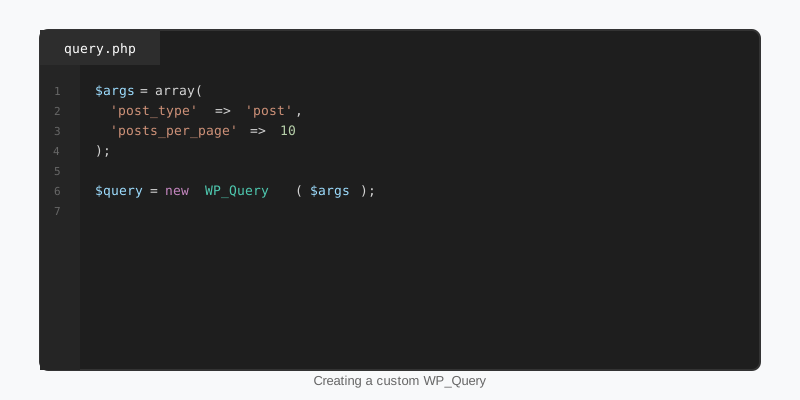
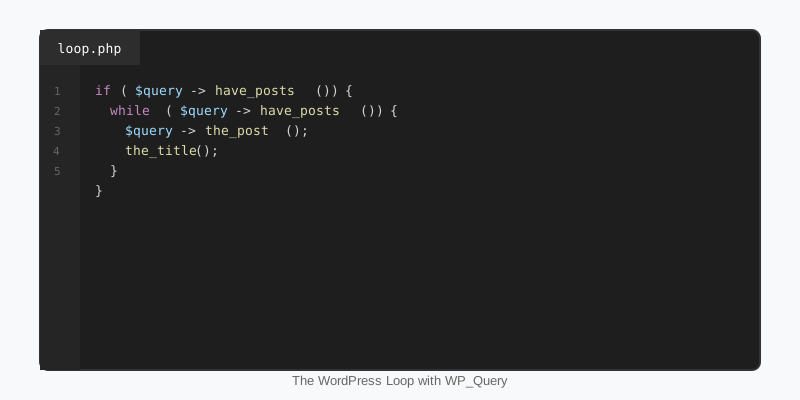
A secondary loop calls have_posts() and the_post() on your own instance, then restores the global post data when it finishes. Skipping wp_reset_postdata() is the classic bug where the article title below a related-posts box shows the wrong post. The example also passes two arguments that cost nothing and save real work: no_found_rows skips the count query you do not need without pagination, and ignore_sticky_posts stops sticky posts being prepended.
$latest = new WP_Query( array(
    'post_type'           => 'post',
    'posts_per_page'      => 6,
    'no_found_rows'       => true,
    'ignore_sticky_posts' => true,
) );

if ( $latest->have_posts() ) {
    echo '<ul class="latest-posts">';
    while ( $latest->have_posts() ) {
        $latest->the_post();
        printf(
            '<li><a href="%s">%s</a></li>',
            esc_url( get_permalink() ),
            esc_html( get_the_title() )
        );
    }
    echo '</ul>';
    wp_reset_postdata();
}
Prefer this pattern over query_posts(), which overwrites the main query and breaks pagination, and over raw $wpdb selects, which skip caching and capability checks. If you only need IDs or titles, iterate $latest->posts directly and skip the template tags; there is no rule that says a loop must call the_post().
WP_Query arguments that change performance
Most arguments describe what you want. A smaller set describes how much work the class does to get it, and those are the ones worth memorising. The table lists the switches that matter, what they skip, and when it is safe to flip them.
| Argument | Effect | Use when |
|---|---|---|
no_found_rows => true | Skips SQL_CALC_FOUND_ROWS and the count query | You are not paginating |
fields => 'ids' | Returns integers instead of WP_Post objects and skips cache priming | You only need IDs, for example to feed post__in later |
update_post_meta_cache => false | Skips the meta warm-up query | The output never reads post meta |
update_post_term_cache => false | Skips the term warm-up query | The output never shows categories or tags |
posts_per_page | Sets the LIMIT | Always; never pass -1 on a public page |
cache_results => false | Disables adding results to the object cache | One-off CLI or cron jobs over huge sets |
The opposite mistake is turning caches off when you do read the data. If you disable the meta cache and then call get_post_meta() inside the loop, every call becomes its own query, which is far worse than the single warm-up you avoided. Measure with Query Monitor before and after each change rather than applying the flags by habit.
Meta queries, taxonomy queries and ordering
Filtering on meta_query joins wp_postmeta once per clause and compares against a LONGTEXT column that has no useful index for values. On a few thousand posts it is fine; on a large site with several clauses and a meta_value_num sort it becomes the slowest thing on the page. If the value is used to group or filter, model it as a term instead; custom taxonomies use indexed integer joins and are an order of magnitude cheaper to query.
When meta really is the right store, cast it: 'type' => 'NUMERIC' on the clause and 'orderby' => 'meta_value_num' for sorting. Without the cast, MySQL compares strings, so "9" sorts after "10". Keep the number of clauses small, and remember that 'relation' => 'OR' across meta clauses defeats most index use entirely.
Ordering by rand() forces a full table sort and should never appear on a public page. Fetch a cached set of IDs, shuffle them in PHP, then load the posts you need with post__in and 'orderby' => 'post__in'. The same two-step approach powers the trending lists in StepFox’s sports themes, where the expensive sort happens once per interval rather than once per visitor.
Modify the main query with pre_get_posts
Changing what an archive shows is a job for the main query, not a replacement. Hook pre_get_posts, bail out unless it is the front-end main query, and call set() on the instance you are handed. Pagination, canonical URLs and the conditional tags keep working because the request still has exactly one query.
add_action( 'pre_get_posts', 'stepfox_tune_main_query' );

function stepfox_tune_main_query( WP_Query $query ) {
    if ( is_admin() || ! $query->is_main_query() ) {
        return;
    }

    // 24 players per page, alphabetical, on the player archive.
    if ( $query->is_post_type_archive( 'player' ) ) {
        $query->set( 'posts_per_page', 24 );
        $query->set( 'orderby', 'title' );
        $query->set( 'order', 'ASC' );
    }

    // Let site search find teams and players as well as posts.
    if ( $query->is_search() ) {
        $query->set( 'post_type', array( 'post', 'team', 'player' ) );
    }
}
Because the hook runs for every query, including the ones plugins create, the guard clauses are not optional. Forgetting is_main_query() is how a “show 24 per page” tweak ends up truncating the related-posts box and the admin post list at the same time.
Caching expensive results
Some queries are legitimately costly: a “most viewed this week” list sorted on a meta value is the standard example. Run them once, cache the resulting IDs in a transient, and render from the cached set. Storing IDs rather than post objects keeps the transient tiny and lets the cheap post__in lookup benefit from the object cache. The Transients API tutorial explains expiry and invalidation in depth.
function stepfox_trending_post_ids() {
    $ids = get_transient( 'stepfox_trending_ids' );
    if ( false !== $ids ) {
        return $ids;
    }

    $trending = new WP_Query( array(
        'post_type'              => 'post',
        'posts_per_page'         => 5,
        'fields'                 => 'ids',
        'no_found_rows'          => true,
        'update_post_meta_cache' => false,
        'update_post_term_cache' => false,
        'meta_key'               => 'view_count',
        'orderby'                => 'meta_value_num',
        'order'                  => 'DESC',
    ) );

    $ids = $trending->posts;
    set_transient( 'stepfox_trending_ids', $ids, 15 * MINUTE_IN_SECONDS );

    return $ids;
}
In a block theme the Query Loop block is a thin wrapper around the same class. With “Inherit query from template” on, it renders the main query and respects your pre_get_posts changes; with it off, it builds a secondary query from the block’s attributes. The query_loop_block_query_vars filter lets you inject arguments such as a cached post__in list into a specific block, which is how a trending rail can be built with no custom block at all. Everything else about tuning that page, from lazy-loading images to a page cache, is covered in the speed optimisation guide.
Key takeaways
- One query is typically four database trips; pass
no_found_rows, and disable meta or term cache priming only when the output truly never reads them. - Always call
wp_reset_postdata()after a secondary loop, and never usequery_posts(). - Change archives through
pre_get_postswithis_main_query()andis_admin()guards, not by running a replacement query. - Prefer taxonomy terms over meta for anything you filter or sort by; cast meta to
NUMERICwhen you must. - Cache expensive result sets as ID lists in a transient and render them with
post__in; never order byrand()on a public page.

