


WordPress custom taxonomies let you classify content along any axis a project needs: leagues for teams, ingredients for recipes, regions for offices, difficulty for tutorials. Categories and tags are simply the two taxonomies WordPress registers for you, and the same API that created them is available to your theme or plugin. This guide covers registration, the hierarchy decision, querying, term meta, archive templates and the mistakes that cost the most time.
How taxonomies fit the WordPress data model
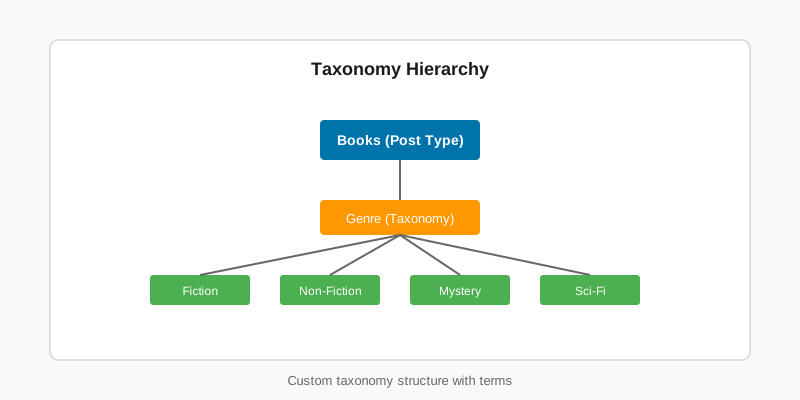
Four tables hold everything. wp_terms stores the name and slug, wp_term_taxonomy ties each term to a taxonomy and a parent, wp_term_relationships links terms to objects, and wp_termmeta holds per-term metadata. A term belongs to exactly one taxonomy; a taxonomy can be attached to any number of object types, usually post types but also users or comments.
WordPress ships category (hierarchical), post_tag (flat), post_format, nav_menu and link_category. WordPress custom taxonomies added with register_taxonomy() sit beside them with the same storage, the same REST endpoints and the same archive routing. If you are also defining the content the taxonomy classifies, read the custom post types guide first; the two are registered together.
Registering WordPress custom taxonomies with register_taxonomy()
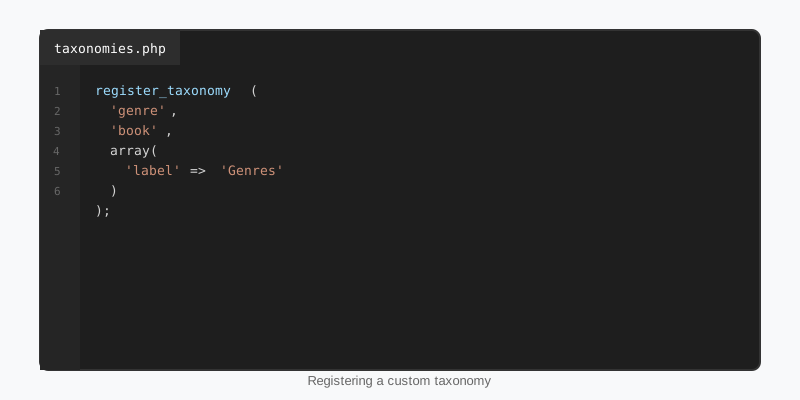
Registration happens on init, in the same callback that registers the post types it applies to, or later in the same hook. Here is a hierarchical league taxonomy shared by a team and a player post type.
add_action( 'init', 'stepfox_register_league_taxonomy' );

function stepfox_register_league_taxonomy() {
    $labels = array(
        'name'              => _x( 'Leagues', 'taxonomy general name', 'stepfox' ),
        'singular_name'     => _x( 'League', 'taxonomy singular name', 'stepfox' ),
        'search_items'      => __( 'Search Leagues', 'stepfox' ),
        'all_items'         => __( 'All Leagues', 'stepfox' ),
        'parent_item'       => __( 'Parent League', 'stepfox' ),
        'parent_item_colon' => __( 'Parent League:', 'stepfox' ),
        'edit_item'         => __( 'Edit League', 'stepfox' ),
        'update_item'       => __( 'Update League', 'stepfox' ),
        'add_new_item'      => __( 'Add New League', 'stepfox' ),
        'new_item_name'     => __( 'New League Name', 'stepfox' ),
        'menu_name'         => __( 'Leagues', 'stepfox' ),
    );

    register_taxonomy(
        'league',
        array( 'team', 'player' ),
        array(
            'labels'            => $labels,
            'hierarchical'      => true,
            'public'            => true,
            'show_ui'           => true,
            'show_admin_column' => true,
            'show_in_rest'      => true,
            'query_var'         => true,
            'rewrite'           => array( 'slug' => 'league', 'hierarchical' => true ),
        )
    );
}
Three arguments matter more than the rest. show_in_rest is what makes the taxonomy panel appear in the block editor; without it the taxonomy exists but editors cannot assign terms. show_admin_column adds a sortable column to the post list, which clients notice immediately. And rewrite.hierarchical produces nested URLs such as /league/nfl/afc-east/ instead of only the leaf slug.
Taxonomy names must be lowercase, 32 characters or fewer, with no spaces. Avoid names and rewrite slugs that match reserved public query vars such as type, year, author or category; the full list is on the register_taxonomy() reference. Flush rewrite rules once on plugin activation, never on init.
Hierarchical or flat: making the call
The hierarchical flag changes the admin UI, the URL shape and the query behaviour, and it is painful to change after terms exist because existing parent relationships are ignored rather than migrated. Decide up front using this comparison.
| Aspect | Hierarchical (like categories) | Flat (like tags) |
|---|---|---|
| Editor UI | Checkbox tree with parent selection | Free-text input with suggestions |
| Parent terms | Supported; archives include children by default | None |
| URLs | Can nest: /league/nfl/afc-east/ | Single level: /position/quarterback/ |
| Best for | Fixed vocabularies with structure | Open vocabularies that grow over time |
| Scale caveat | Checkbox box loads every term; slow past a few thousand | Handles large term counts well |
Two useful middle grounds exist for WordPress custom taxonomies. A private taxonomy (public => false, show_ui => true) gives editors a grouping tool with no front-end archive. And the default_term argument, added in WordPress 5.5, assigns a fallback term automatically so archive queries never return an unclassified post.
Querying WordPress custom taxonomies
Archive pages query the taxonomy automatically. Anywhere else you use tax_query in WP_Query, which accepts one or more clauses joined by a relation. The WP_Query guide covers the surrounding loop; here is the taxonomy part.
$teams = new WP_Query(
    array(
        'post_type'      => 'team',
        'posts_per_page' => 12,
        'tax_query'      => array(
            'relation' => 'AND',
            array(
                'taxonomy'         => 'league',
                'field'            => 'slug',
                'terms'            => 'nfl',
                'include_children' => true,
            ),
            array(
                'taxonomy' => 'conference',
                'field'    => 'slug',
                'terms'    => array( 'afc', 'nfc' ),
                'operator' => 'IN',
            ),
        ),
    )
);
include_children defaults to true for hierarchical taxonomies, so querying nfl also returns teams filed under its divisions. Operators are IN, NOT IN, AND, EXISTS and NOT EXISTS. Each clause adds a join on wp_term_relationships, so keep the clause count low on high-traffic pages and cache the results if the query is expensive.
In the block editor the Query Loop block exposes the same thing as a taxonomy filter, provided the taxonomy was registered with show_in_rest. That is how a block theme builds a “teams in this league” section without PHP.
Displaying terms and adding term meta
Inside a loop, get_the_terms() returns the object’s terms, false when there are none, or a WP_Error when the taxonomy does not exist. Check for both. get_term_link() builds the archive URL. Term meta works like post meta and, once registered with show_in_rest, is readable from the REST API and the block editor.
// Attach a founding year to every league term.
add_action( 'init', function () {
    register_term_meta(
        'league',
        'founded',
        array(
            'type'              => 'integer',
            'single'            => true,
            'show_in_rest'      => true,
            'sanitize_callback' => 'absint',
        )
    );
} );

// In a template: list the current team's leagues with their founding year.
$leagues = get_the_terms( get_the_ID(), 'league' );

if ( $leagues && ! is_wp_error( $leagues ) ) {
    foreach ( $leagues as $league ) {
        printf(
            '<a href="%s">%s</a> (est. %d) ',
            esc_url( get_term_link( $league ) ),
            esc_html( $league->name ),
            (int) get_term_meta( $league->term_id, 'founded', true )
        );
    }
}
WordPress does not generate an admin field for term meta. Print one on league_add_form_fields and league_edit_form_fields, then save it on created_league and edited_league with a nonce check. Our Yardline football theme uses exactly this pattern to store crest images and colours on league, conference and division terms.
Archive templates and common mistakes
Every public taxonomy gets an archive, and WordPress custom taxonomies are routed exactly like categories. WordPress looks for taxonomy-league-nfl.php, then taxonomy-league.php, then taxonomy.php, then archive.php. A block theme uses the same names with an .html extension under templates/, and you can create them in the Site Editor without touching files. The template hierarchy guide lists the full order.
- Archive returns 404: rewrite rules were never flushed. Visit Settings > Permalinks once, or call
flush_rewrite_rules()in the activation hook. - No panel in the block editor:
show_in_restis missing or false. - Wrong content on the archive: the rewrite slug collides with a page slug or a post type slug. Rename one of them.
- Term edit screen is slow: a hierarchical taxonomy with thousands of terms. Switch to flat or replace the meta box with
meta_box_cb. - Terms vanish after moving a taxonomy to another plugin: the registration is gone, but the rows are still in the term tables. Register it again and they reappear.
The Plugin Handbook chapter on taxonomies covers the remaining arguments, including capabilities and the update_count_callback that matters when you attach a taxonomy to a non-post object type.
Key takeaways
- Register WordPress custom taxonomies on
initwithshow_in_rest,show_admin_columnand explicit labels. - Decide hierarchical versus flat before terms exist; it drives the UI, the URLs and the query behaviour.
- Use
tax_querywith explicit operators, and rememberinclude_childrenis on by default for hierarchical taxonomies. - Store per-term data with
register_term_meta()and build the admin field yourself on the add and edit form hooks. - Flush rewrite rules once on activation, and keep slugs clear of pages, post types and reserved query vars.

