

WordPress performance optimization is the difference between a site that passes Core Web Vitals and one that loses visitors before the first paint. This guide works from the server outward: measure first, cache the expensive parts, trim the database and the queries you run, fix images and scripts, and choose a theme architecture that does not undo all of it.
Measure before you change anything
WordPress performance optimization starts with knowing which half of the page load is slow. Time to First Byte is the server: PHP, database and caching. Everything after that is the front end: images, CSS, JavaScript and fonts. Google’s thresholds are a Largest Contentful Paint under 2.5 seconds, Interaction to Next Paint under 200 milliseconds and Cumulative Layout Shift under 0.1, and PageSpeed Insights shows you real field data for each.
Install Query Monitor on a staging copy and load a slow page while logged in. It lists every database query with its caller, every enqueued asset and every hook that took real time, which turns guessing into a ranked list. Measure logged out as well, because a page cache serves logged-out visitors and bypasses logged-in ones, so the two experiences can differ by a second or more.
Server-side WordPress performance optimization: page cache, object cache and PHP
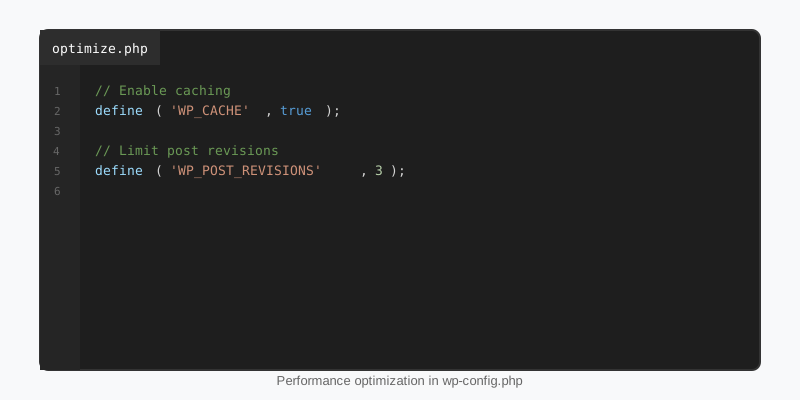
A page cache stores the finished HTML and serves it without running PHP at all, which is the single largest win available. LiteSpeed Cache, WP Super Cache or your host’s built-in layer all work; what matters is that WP_CACHE is defined so the advanced-cache.php drop-in loads, and that cart, account and logged-in pages are excluded. Run PHP 8.2 or newer with OPcache enabled, since each major PHP release has been measurably faster than the last.
A persistent object cache is the second layer. WordPress caches options, post objects and query results in memory for one request; Redis or Memcached keeps them across requests, so a logged-in dashboard or a WooCommerce checkout that cannot use the page cache still avoids most database round trips. Transients automatically move into the object cache when one is present, which is why the Transients API is the right tool for caching expensive computed data.
// wp-config.php
define( 'WP_CACHE', true );            // lets the caching plugin's advanced-cache.php drop-in load
define( 'WP_POST_REVISIONS', 5 );      // cap revisions stored per post
define( 'AUTOSAVE_INTERVAL', 120 );    // seconds between editor autosaves
define( 'EMPTY_TRASH_DAYS', 14 );
define( 'WP_MEMORY_LIMIT', '256M' );

// A persistent object cache needs the object-cache.php drop-in from the Redis
// or Memcached plugin. Confirm it is really connected:
//   wp cache type   ->   should print "Redis" or "Memcached", not "Default"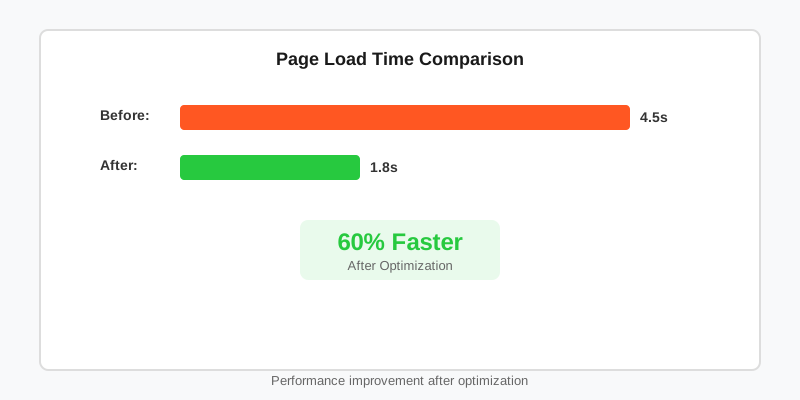
Trim the database and the queries you run
Most WordPress performance optimization guides skip the database, yet two problems there affect every single request. The first is autoloaded options: every row in wp_options with autoload = 'yes' is loaded on every page, and abandoned plugins leave large serialised blobs behind. Run wp option list --autoload=on --format=total_bytes and treat anything over about 800 KB as a problem to fix by setting autoload to no on the offenders or deleting them.
The second is query shape. WP_Query counts total rows for pagination by default, loads term and meta caches for every result, and happily runs posts_per_page => -1. Turn off what a given loop does not use, keep meta_query off unindexed values, and cache computed results rather than recomputing them per visitor. The WP_Query guide covers the argument list; the example below shows the two flags that matter most.
$latest = new WP_Query( array(
    'post_type'              => 'post',
    'posts_per_page'         => 6,
    'no_found_rows'          => true,   // skips SQL_CALC_FOUND_ROWS when you do not paginate
    'update_post_term_cache' => false,  // this loop never prints categories
    'ignore_sticky_posts'    => true,
) );

// Cache a slow aggregate for ten minutes instead of rebuilding it per request
$table = get_transient( 'sf_league_table' );
if ( false === $table ) {
    $table = sf_build_league_table();   // dozens of meta lookups
    set_transient( 'sf_league_table', $table, 10 * MINUTE_IN_SECONDS );
}
Images: the largest asset on almost every page
Images are the biggest WordPress performance optimization win on most content sites because they are most of the bytes. Since WordPress 6.1 the image editor can output WebP for new uploads through the image_editor_output_format filter, typically cutting file size by a third with no visible change. Regenerate existing thumbnails afterwards with wp media regenerate so old attachments benefit too.
Core lazy-loads images by default and, since 6.3, adds fetchpriority="high" to the image it believes is the LCP candidate. The trap is the hero image: if it is lazy-loaded, LCP slips by hundreds of milliseconds. When you print it yourself in a template or block render callback, pass explicit attributes so the browser fetches it first.
// Generate WebP for every new JPEG upload (WordPress 6.1+)
add_filter( 'image_editor_output_format', function ( $formats ) {
    $formats['image/jpeg'] = 'image/webp';
    return $formats;
} );

// The hero must never be lazy-loaded and should be fetched first
echo wp_get_attachment_image(
    $hero_id,
    'large',
    false,
    array( 'loading' => 'eager', 'fetchpriority' => 'high' )
);

// Raise how many above-the-fold images in content skip lazy loading
add_filter( 'wp_omit_loading_attr_threshold', fn() => 5 );
Scripts, styles and fonts
Every render-blocking stylesheet and synchronous script delays first paint, so audit the Network tab for assets the current page does not use. WordPress 6.3 added a strategy argument to wp_enqueue_script() that emits defer or async correctly, including for dependencies, which removes the need for a minification plugin’s script-delay feature in most cases.
add_action( 'wp_enqueue_scripts', function () {
    // WordPress 6.3+: defer without a plugin; dependencies are handled for you
    wp_enqueue_script(
        'sf-menu',
        get_theme_file_uri( 'assets/menu.js' ),
        array(),
        wp_get_theme()->get( 'Version' ),
        array( 'strategy' => 'defer', 'in_footer' => true )
    );

    // Dashicons are only needed by the admin bar
    if ( ! is_user_logged_in() ) {
        wp_dequeue_style( 'dashicons' );
    }
} );

// Classic themes: load core block CSS per block instead of one bundle.
// Block themes already do this.
add_filter( 'should_load_separate_core_block_assets', '__return_true' );
Fonts deserve the same discipline. Self-host them through theme.json so there is no third-party DNS lookup, limit the set to two families and the weights you actually use, and preload only the file that renders above the fold. A Google Fonts embed with six weights is routinely 300 KB and a full render-blocking round trip.
The theme decides the baseline
No amount of WordPress performance optimization recovers what a heavy theme spends up front. A page-builder theme commonly ships 400 to 800 KB of CSS and JavaScript on every page before content loads; a block theme built from core blocks ships the styles for the blocks on that page and almost nothing else.
That is the reason StepFox themes carry no theme stylesheet. Every visual decision is a block attribute, and StepFox Looks emits only the per-device rules those attributes require, so the CSS payload scales with the page rather than with the theme. If you are choosing a theme with speed in mind, look at what a blank page weighs before looking at the demo.
For the server-side settings that sit outside WordPress, such as HTTP/2, Brotli compression and cache headers, the Advanced Administration handbook keeps an up-to-date checklist.
Key takeaways
- Separate server time from front-end time before you optimise; Query Monitor and PageSpeed Insights tell you which one to fix.
- Page cache for anonymous traffic, persistent object cache for everything else, current PHP with OPcache underneath.
- Keep autoloaded options small and pass
no_found_rowsand cache flags to loops that do not need them. - Serve WebP, never lazy-load the LCP image, and give it
fetchpriority="high". - Defer scripts with the
strategyargument, dequeue unused styles and self-host a small font set. - A block theme styled by attributes sets a baseline that no caching layer can give a heavy theme.

