

A WordPress child theme lets you change a theme’s templates, styles and behaviour while the parent keeps receiving updates, because your changes live in a separate folder that updates never touch. This guide covers the two files that make a child theme work, how overrides resolve for classic and block themes, the hooks that save you from copying templates, and when a child theme is the wrong tool.
What a WordPress child theme is and when you need one
WordPress distinguishes the template (the parent) from the stylesheet (the active theme). For a normal theme both point to the same folder; for a child theme they differ, and every path helper reflects that. get_template_directory() always resolves to the parent, get_stylesheet_directory() to the child, and get_theme_file_path() checks the child first and falls back to the parent. The child’s functions.php loads immediately before the parent’s, so both run on every request.
You need a child theme when you must change PHP, template files or theme.json in a theme you do not maintain. You do not need one for CSS-only tweaks, which belong in the Site Editor’s Styles panel or the Customizer’s Additional CSS, nor for a few functions, which belong in a small site-specific plugin so they survive a theme switch. Block theme layout changes made in the Site Editor are stored in the database and already survive updates.
Create the child theme: style.css and functions.php
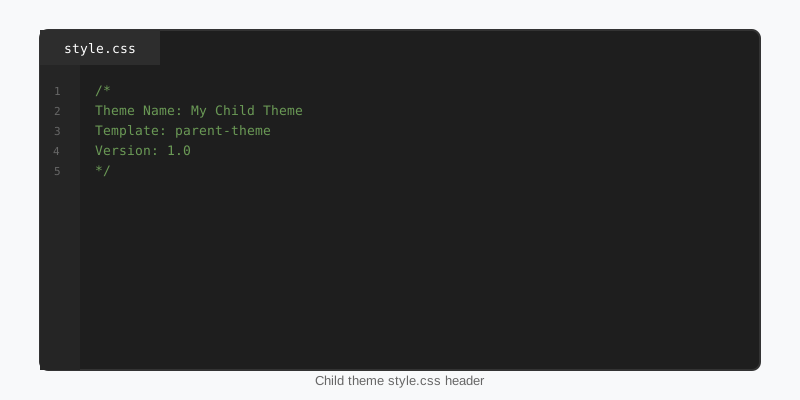
A WordPress child theme needs exactly one file to be recognised, style.css with a header comment, and usually a second, functions.php, to load the parent’s stylesheet. Create a folder next to the parent, for example wp-content/themes/yardline-child/, and add the header. The Template line must match the parent’s folder name exactly, including case; a typo there is what produces the “broken theme” notice in Appearance.
/*
Theme Name:  Yardline Child
Theme URI:   https://stepfoxthemes.com/themes/yardline-football-theme/
Description: Child theme for the Yardline American football theme.
Author:      Your Name
Template:    yardline
Version:     1.0.0
Text Domain: yardline-child
*/
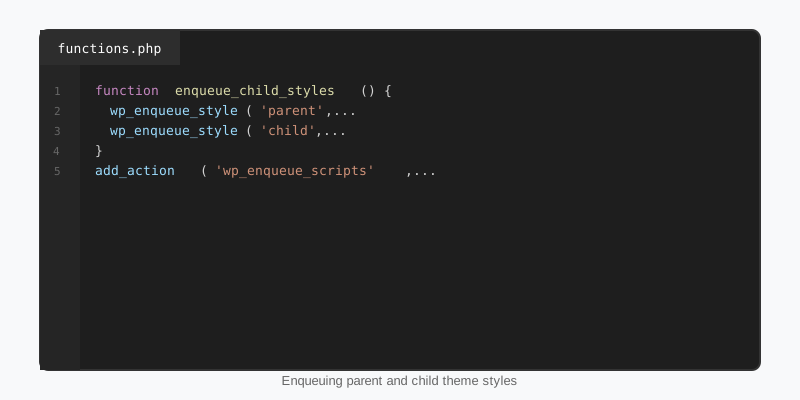
A classic parent’s style.css is not loaded automatically once the child is active, so enqueue it. Use the parent’s own handle if you know it so nothing is loaded twice, list it as a dependency of the child stylesheet so the order is guaranteed, and version each file from its theme header so browsers pick up changes. Never use @import in the child’s stylesheet; it blocks rendering and defeats caching.
<?php
add_action( 'wp_enqueue_scripts', function () {
    $parent = wp_get_theme( get_template() );
    $child  = wp_get_theme();

    wp_enqueue_style(
        'yardline-style',
        get_template_directory_uri() . '/style.css',
        array(),
        $parent->get( 'Version' )
    );

    wp_enqueue_style(
        'yardline-child-style',
        get_stylesheet_uri(),
        array( 'yardline-style' ),
        $child->get( 'Version' )
    );
} );
Activate it under Appearance, Themes, or with wp theme activate yardline-child. On a multisite network both parent and child must be network-enabled before a subsite can activate the child. An optional screenshot.png at 1200 by 900 pixels gives it a thumbnail. The Theme Handbook chapter on child themes covers the remaining header fields.
How overrides resolve: templates, parts and theme.json
In a WordPress child theme for a classic parent, any template file placed at the same relative path wins outright: single.php, template-parts/content.php loaded through get_template_part(), or woocommerce/single-product.php. The parent’s copy is simply never read. The one exception is functions.php, which is additive, so copying the parent’s file wholesale produces a fatal “cannot redeclare function” error.
Block parents follow the same rule with different files. templates/single.html and parts/header.html in the child replace the parent’s versions, patterns/ adds patterns alongside the parent’s, and anything the site owner has edited in the Site Editor sits above both because it is stored as a post. theme.json is the exception again: it is merged, with the child’s values winning key by key, so the child file only needs to contain what changes. The theme.json guide shows the full schema.
Use hooks before you copy a template
Copying single.php into the child to change one line freezes that file: every bug fix the parent ships afterwards never reaches you. Reach for actions and filters first. Well-built parents wrap their setup in function_exists() guards and register behaviour on hooks precisely so a child can replace or remove it.
Load order is the detail that trips people up. Because the parent’s functions.php runs after the child’s, a remove_action() at the top level of the child runs before the parent has added anything. Wrap removals in a hook that fires later, such as after_setup_theme at priority 11 or init, and they work.
<?php
// Runs after the parent's own after_setup_theme callback at priority 10
add_action( 'after_setup_theme', function () {
    remove_action( 'wp_head', 'yardline_print_inline_css' );
    remove_filter( 'excerpt_length', 'yardline_excerpt_length' );
    add_filter( 'excerpt_length', fn() => 30 );
    add_image_size( 'card-wide', 640, 360, true );
}, 11 );

// Pluggable function: the child defines it first, so the parent's
// if ( ! function_exists( 'yardline_post_meta' ) ) guard skips its own copy
function yardline_post_meta() {
    printf(
        '<span class="posted-on">%s</span>',
        esc_html( get_the_date() )
    );
}

// Child assets: use the stylesheet helpers, not the template ones
add_action( 'wp_enqueue_scripts', function () {
    wp_enqueue_script(
        'yardline-child',
        get_stylesheet_directory_uri() . '/assets/child.js',
        array(),
        wp_get_theme()->get( 'Version' ),
        array( 'strategy' => 'defer' )
    );
} );
Note the helper choice at the end. get_stylesheet_directory_uri() points at the child; get_template_directory_uri() points at the parent. Using the wrong one produces a 404 for your own asset, or silently loads the parent’s file, and it is the most common bug in child themes that “used to work”.
Child themes for block themes: still worth it?
Every WordPress child theme for a block parent needs only style.css with the header; there is no parent stylesheet to enqueue, because a block theme’s design lives in theme.json and block markup. With the Site Editor storing template and style edits in the database, many sites never need a child at all.
A WordPress child theme is worth it when the customisation has to travel: the same tweaks on several sites, a version-controlled record of what changed, PHP that hooks render_block or registers a post type, or custom templates and patterns that should ship as files rather than database rows. The Create Block Theme plugin can export the Site Editor’s current changes straight into a child theme, which is the quickest way to start one from a design you already like.
StepFox themes are a useful case. They express every visual decision as a block attribute through StepFox Looks rather than in CSS, so a child of a StepFox theme rarely needs a stylesheet at all; its job is to carry theme.json overrides, extra patterns and any PHP. The block themes guide explains how those pieces fit together.
Mistakes that break child themes
- A
Templateheader that does not match the parent folder name exactly, so WordPress reports the theme as broken. - Loading the parent stylesheet with
@import, or not loading it at all and wondering where the layout went. - Copying the parent’s
functions.phpwholesale, which redeclares every function and white-screens the site. - Calling
remove_action()at the top level of the child, before the parent has added anything. - Using
get_template_directory_uri()for child assets, which points at the parent folder. - Editing the parent anyway “just this once”, which is undone by the next update.
One more habit pays off over time: keep a short changelog in the child’s style.css header or a README noting which parent files you overrode and why. When the parent ships a new version, that list is exactly what you need to diff against.
Key takeaways
- A WordPress child theme needs
style.csswith a correctTemplateheader; classic parents also need their stylesheet enqueued fromfunctions.php. - Template files at the same path replace the parent’s;
functions.phpandtheme.jsonare merged, not replaced. - Prefer hooks and pluggable functions over copied templates, and run removals on
after_setup_themeat priority 11. get_stylesheet_*helpers point at the child,get_template_*at the parent,get_theme_file_*checks both.- Block themes often need no child at all; create one when customisations must be portable or contain PHP.

