

WordPress shortcodes are bracketed tags such as 
[league_table team="lions"] that WordPress replaces with dynamic output when content is rendered. They predate the block editor by a decade and are still the fastest way to hand editors a reusable piece of plugin output. This tutorial covers registering them correctly, handling attributes and enclosed content, using them in templates and blocks, and recognising when a block is the better tool.
How WordPress shortcodes work
Core attaches do_shortcode() to the_content at priority 11, one step after wpautop() at priority 10. When a post renders, a regular expression finds every registered tag, calls its callback, and splices the returned string into the content. The callback receives the attributes as an array, the enclosed content if the tag was used as a pair, and the tag name itself. Whatever it returns is the output; anything it echoes lands at the top of the page instead.
WordPress shortcodes belong in a plugin, not a theme. Content that says [recent_posts] should keep working after a redesign, and it only will if the handler survives the theme switch. The Plugin Handbook shortcode chapter is the canonical reference; the plugin development basics guide covers the file layout to put them in.
Register your first shortcode
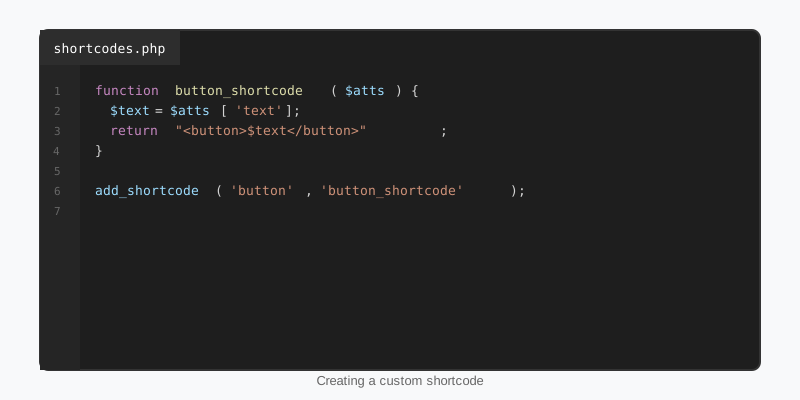
Register on init with add_shortcode(). Always run the attributes through shortcode_atts() with your defaults and the tag name as the third argument; that both guarantees every key exists and fires the shortcode_atts_{tag} filter so other code can adjust defaults. Build the output into a string, escape every dynamic value, reset the global post if you ran a query, and return.
add_action( 'init', function () {
    add_shortcode( 'recent_posts', 'sf_recent_posts_shortcode' );
} );

function sf_recent_posts_shortcode( $atts, $content = null, $tag = '' ) {
    $atts = shortcode_atts( array(
        'count'    => 5,
        'category' => '',
    ), $atts, $tag );

    $query = new WP_Query( array(
        'posts_per_page' => min( 20, absint( $atts['count'] ) ),
        'category_name'  => sanitize_title( $atts['category'] ),
        'no_found_rows'  => true,
    ) );

    if ( ! $query->have_posts() ) {
        return '';
    }

    $out = '<ul class="sf-recent-posts">';
    while ( $query->have_posts() ) {
        $query->the_post();
        $out .= sprintf(
            '<li><a href="%s">%s</a></li>',
            esc_url( get_permalink() ),
            esc_html( get_the_title() )
        );
    }
    wp_reset_postdata();

    return $out . '</ul>';
}
An editor now writes [recent_posts count="3" category="news"] and gets a list. Attribute names are lowercased by the parser, so declare them in lowercase, and expect every value to arrive as a string. The min() cap matters: a shortcode can be typed by any contributor, so treat attributes as untrusted input rather than configuration.
Attributes, enclosing content and nesting
An enclosing shortcode, [notice type="warning"]text[/notice], receives the inner text as the second argument, raw and unprocessed. Pass it through do_shortcode() if editors should be able to nest other tags inside, then through wp_kses_post() so the markup stays within what a post may contain. A tag cannot nest inside itself, but two different tags nest fine.
add_shortcode( 'notice', 'sf_notice_shortcode' );

function sf_notice_shortcode( $atts, $content = null ) {
    $atts = shortcode_atts( array(
        'type'  => 'info',      // info | warning | success
        'title' => '',
    ), $atts, 'notice' );

    return sf_render_notice( $atts['type'], $atts['title'], $content );
}

// Shared renderer, reused by the block version below
function sf_render_notice( $type, $title, $content ) {
    $type  = in_array( $type, array( 'info', 'warning', 'success' ), true ) ? $type : 'info';
    $title = $title ? '<strong>' . esc_html( $title ) . '</strong> ' : '';
    $body  = wp_kses_post( do_shortcode( (string) $content ) );

    return sprintf(
        '<div class="sf-notice sf-notice--%s">%s%s</div>',
        esc_attr( $type ),
        $title,
        $body
    );
}
Two parser quirks are worth knowing. Because wpautop() runs first, an enclosing tag on its own line gets wrapped in a paragraph, and core’s shortcode_unautop() only cleans up the simple cases; design your output to tolerate a stray <p> rather than reordering the filters. And boolean-looking attributes such as open="true" arrive as the string "true", so compare with filter_var( $value, FILTER_VALIDATE_BOOLEAN ).
Using WordPress shortcodes in templates, widgets and blocks
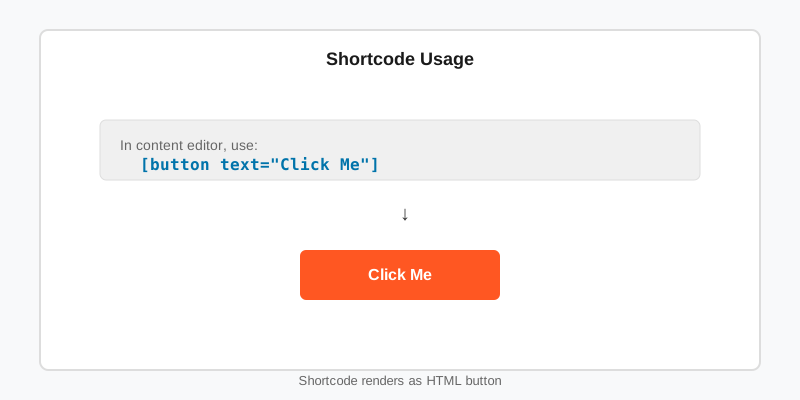
In post content, a tag typed into a paragraph runs automatically. In the block editor the Shortcode block does the same job and stops the paragraph block from escaping the brackets. Classic Text widgets have processed shortcodes since 4.9 through the widget_text filter, and a custom field or option value can be rendered with apply_shortcodes( $value ), the clearer alias for do_shortcode() added in 5.4.
Block theme template files are the exception: a shortcode typed into templates/single.html is plain text unless it sits inside a Shortcode block, and a Shortcode block in a template is a sign the output should be a real block. On a theme built from core blocks, like the ones in the StepFox catalogue, the block route also lets editors see and style the output in the Site Editor instead of a grey placeholder.
Three helpers round out the toolkit: has_shortcode( $content, 'tag' ) to detect usage, shortcode_exists( 'tag' ) to guard against a missing plugin, and strip_shortcodes() to keep raw tags out of excerpts and meta descriptions.
Performance and security
WordPress shortcodes run on every render of every occurrence, and a page cache only hides that for logged-out visitors. If the callback runs a heavy query or calls an external API, store the finished HTML with the Transients API keyed by the attribute values, and invalidate it on save_post for the post type involved. Load the shortcode’s CSS and JavaScript only on pages that use it rather than site-wide.
// Enqueue the stylesheet only where the tag is actually used
add_action( 'wp_enqueue_scripts', function () {
    if ( is_singular() && has_shortcode( get_post()->post_content, 'notice' ) ) {
        wp_enqueue_style( 'sf-notice', plugins_url( 'css/notice.css', __FILE__ ), array(), '1.2.0' );
    }
} );
On the security side, the rules are the same as for any output: escape every value for its context, never build a file path or SQL fragment from an attribute, and never extract() the attributes array into local variables. Remember that Contributors can write shortcodes into drafts that an Editor later publishes, so the callback must be safe with hostile attributes.
When to turn a shortcode into a block
WordPress shortcodes have no preview, no validation and no visible attributes, so editors either memorise the syntax or ask. A dynamic block fixes all three while reusing your renderer: register the block with a render_callback that calls the same function the shortcode calls, keep the shortcode registered so existing content still works, and migrate at your own pace. The block development guide walks through the JavaScript side.
// block.json declares "name": "sf/notice" with a "type" string attribute
add_action( 'init', function () {
    register_block_type( __DIR__ . '/build/notice', array(
        'render_callback' => function ( $attributes, $content ) {
            // Identical markup on both paths, one renderer to maintain
            return sf_render_notice( $attributes['type'] ?? 'info', $attributes['title'] ?? '', $content );
        },
    ) );
} );
Key takeaways
- WordPress shortcodes are replaced by
do_shortcode()onthe_content; the callback must return its output, never echo it. - Register them in a plugin on
initand always normalise attributes withshortcode_atts()and the tag name. - Run enclosed content through
do_shortcode()andwp_kses_post(); treat every attribute as untrusted input. - Use the Shortcode block in content and
apply_shortcodes()in PHP; in block templates, build a block instead. - Cache heavy output with transients and enqueue assets only where
has_shortcode()is true. - Share one renderer between the shortcode and a dynamic block so the migration to blocks is incremental.

