

WordPress widgets are the reusable content units that live in sidebars and footers: recent posts, search, navigation, custom HTML. Since WordPress 5.8 the widget system runs on blocks, so widget development now means two things at once: maintaining WP_Widget classes for classic themes, and building blocks that do the same job in block themes. This guide covers both, with working code for each.
How WordPress widgets work today
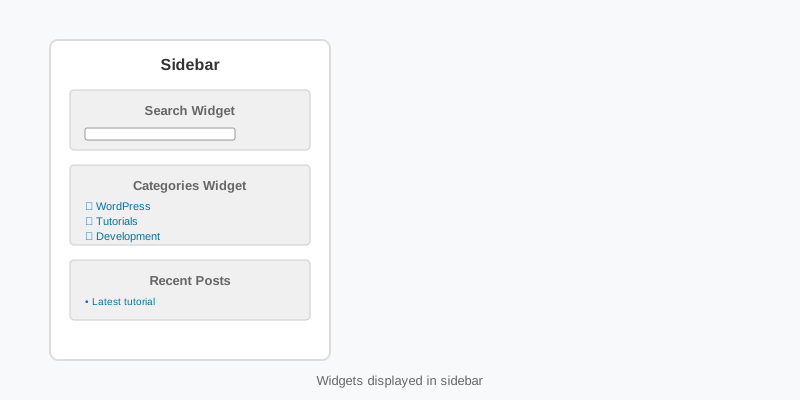
A classic theme registers widget areas (sidebars) with register_sidebar() and prints them with dynamic_sidebar(). Which widgets sit in which area is stored in the sidebars_widgets option, and each widget’s settings live in an option named widget_{id_base}. Since 5.8 the Widgets screen and the Customizer render those areas as block containers, so a widget area can hold any block, and the older PHP widgets appear inside a Legacy Widget block.
Block themes remove the concept entirely. There is no Appearance > Widgets screen, because a footer or sidebar is a template part edited in the Site Editor, and the blocks that used to be widgets (Latest Posts, Search, Categories, Navigation) are placed directly in it. Knowing which of the two worlds your theme lives in is the first decision in any WordPress widgets project.
Registering widget areas in a classic theme
Register areas on widgets_init and give each one a stable id; renaming an id later orphans every widget assigned to it. The before and after arguments wrap each widget and its title, and the %1$s and %2$s placeholders receive the widget’s id and class names so CSS and JavaScript can target individual instances.
add_action( 'widgets_init', function () {
    register_sidebar( array(
        'name'          => __( 'Primary Sidebar', 'my-theme' ),
        'id'            => 'sidebar-1',
        'description'   => __( 'Shown next to posts and archives.', 'my-theme' ),
        'before_widget' => '<section id="%1$s" class="widget %2$s">',
        'after_widget'  => '</section>',
        'before_title'  => '<h2 class="widget-title">',
        'after_title'   => '</h2>',
    ) );
} );

// In sidebar.php:
if ( is_active_sidebar( 'sidebar-1' ) ) {
    echo '<aside class="widget-area">';
    dynamic_sidebar( 'sidebar-1' );
    echo '</aside>';
}
The is_active_sidebar() check matters for layout: an empty aside still takes a grid column. The Theme Handbook widgets chapter documents every register_sidebar() argument, including the newer before_sidebar and after_sidebar wrappers.
Building a widget with the WP_Widget class
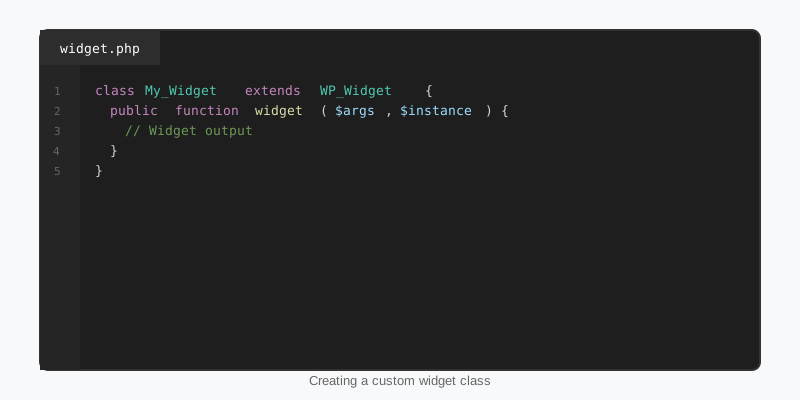
A PHP widget is a class extending WP_Widget with three methods. widget() prints the front-end output (this one echoes, unlike a shortcode), form() prints the settings fields in the admin, and update() sanitises the submitted values before they are saved. The constructor sets the id_base, the display name and a description.
class SF_Latest_Scores_Widget extends WP_Widget {

    public function __construct() {
        parent::__construct(
            'sf_latest_scores',
            __( 'Latest Scores', 'my-plugin' ),
            array( 'description' => __( 'The most recent final scores.', 'my-plugin' ) )
        );
    }

    public function widget( $args, $instance ) {
        $title = apply_filters( 'widget_title', $instance['title'] ?? '', $instance, $this->id_base );
        $count = absint( $instance['count'] ?? 5 );

        echo $args['before_widget'];
        if ( $title ) {
            echo $args['before_title'] . esc_html( $title ) . $args['after_title'];
        }

        $games = get_posts( array(
            'post_type'      => 'game',
            'posts_per_page' => $count,
            'no_found_rows'  => true,
        ) );

        echo '<ul>';
        foreach ( $games as $game ) {
            printf(
                '<li><a href="%s">%s</a></li>',
                esc_url( get_permalink( $game ) ),
                esc_html( get_the_title( $game ) )
            );
        }
        echo '</ul>';
        echo $args['after_widget'];
    }

    public function form( $instance ) {
        $title = $instance['title'] ?? '';
        $count = absint( $instance['count'] ?? 5 );
        printf(
            '<p><label for="%1$s">%2$s</label><input class="widefat" id="%1$s" name="%3$s" type="text" value="%4$s"></p>',
            esc_attr( $this->get_field_id( 'title' ) ),
            esc_html__( 'Title:', 'my-plugin' ),
            esc_attr( $this->get_field_name( 'title' ) ),
            esc_attr( $title )
        );
        printf(
            '<p><label for="%1$s">%2$s</label><input class="tiny-text" id="%1$s" name="%3$s" type="number" min="1" max="20" value="%4$d"></p>',
            esc_attr( $this->get_field_id( 'count' ) ),
            esc_html__( 'Number of games:', 'my-plugin' ),
            esc_attr( $this->get_field_name( 'count' ) ),
            $count
        );
    }

    public function update( $new_instance, $old_instance ) {
        return array(
            'title' => sanitize_text_field( $new_instance['title'] ?? '' ),
            'count' => min( 20, max( 1, absint( $new_instance['count'] ?? 5 ) ) ),
        );
    }
}

add_action( 'widgets_init', function () {
    register_widget( 'SF_Latest_Scores_Widget' );
} );
Three habits keep this class safe. Always print $args[‘before_widget’] and $args[‘after_widget’] so the theme’s wrapper markup applies. Run the title through the widget_title filter so plugins that translate or shortcode-expand titles keep working. And never trust $instance in widget(): the update() method sanitised it once, but a database edit or an import can still put anything in there, so cast and escape again on output. The WP_Widget class reference lists the remaining helper methods.
WordPress widgets in block themes
Activate a block theme and the Widgets menu disappears, along with every widget area the previous theme registered. The content is not lost (WordPress keeps it in an “Inactive widgets” store), but nothing renders it. The replacement is the template part: a reusable chunk of blocks such as parts/sidebar.html or parts/footer.html that any template can include, edited in the Site Editor with the same tools as the rest of the page. The template parts guide walks through creating and assigning them.
Most classic widgets have a direct block equivalent: Latest Posts, Latest Comments, Search, Categories, Tag Cloud, Archives, Calendar, Navigation and Social Icons all ship with core. A Query Loop block replaces almost any “recent items” widget, and because it is a nested set of editable blocks the site owner can change the card layout without touching PHP. This is how StepFox themes build every sidebar and footer: template parts made of core blocks, styled through attributes rather than widget-specific CSS.
If you must keep a classic widgets screen on a block theme, you can bring it back with a single call, but it is a stopgap rather than a plan. The block themes guide explains why template parts age better.
Migrating a legacy widget to a block
The rendering logic in widget() is usually the only part worth keeping. Move it into a dynamic block with a render callback, expose the settings as block attributes in block.json, and the same output becomes available in widget areas, template parts and post content alike. The form() method is replaced by the block’s inspector controls, and update() by the attribute types WordPress validates for you.
// build/latest-scores/block.json declares:
// "name": "sf/latest-scores", "attributes": { "count": { "type": "integer", "default": 5 } }

add_action( 'init', function () {
    register_block_type( __DIR__ . '/build/latest-scores', array(
        'render_callback' => 'sf_render_latest_scores',
    ) );
} );

function sf_render_latest_scores( $attributes ) {
    $games = get_posts( array(
        'post_type'      => 'game',
        'posts_per_page' => absint( $attributes['count'] ?? 5 ),
        'no_found_rows'  => true,
    ) );
    if ( ! $games ) {
        return '';
    }

    $items = '';
    foreach ( $games as $game ) {
        $items .= sprintf(
            '<li><a href="%s">%s</a></li>',
            esc_url( get_permalink( $game ) ),
            esc_html( get_the_title( $game ) )
        );
    }
    return sprintf( '<ul %s>%s</ul>', get_block_wrapper_attributes(), $items );
}
get_block_wrapper_attributes() adds the class names, alignment and style attributes the editor assigns, which is what lets a block respond to the Styles panel and to per-device plugins. The editor side (an edit.js with a RangeControl for count) is a few dozen lines; the block development tutorial covers the build tooling.
Common mistakes with WordPress widgets
Returning instead of echoing from widget() produces an empty box. Skipping $args[‘before_widget’] breaks the theme’s spacing and the block-based Widgets screen’s preview. Forgetting sanitisation in update() stores raw HTML in the options table. Running an expensive query in widget() on every page load is the classic sidebar performance bug; cache the result in a transient and clear it when the underlying posts change.
Two block-era mistakes are newer. Calling remove_theme_support( ‘widgets-block-editor’ ) to restore the classic screen also disables blocks inside widget areas, which surprises editors. And registering widget areas in a block theme’s functions.php is harmless but pointless: nothing in the template layer will print them. Build the template part instead and let WordPress widgets stay a classic-theme concern.
Key takeaways
- Classic themes register widget areas on widgets_init with stable ids and print them with dynamic_sidebar() behind an is_active_sidebar() check.
- A WP_Widget subclass needs widget(), form() and update(); widget() echoes, wraps output in $args, and re-escapes every value.
- Since 5.8 widget areas are block containers, and block themes replace them with template parts edited in the Site Editor.
- Core blocks already cover most WordPress widgets; a Query Loop replaces almost any “recent items” widget without PHP.
- To migrate, move the widget() logic into a dynamic block’s render callback and expose settings as block attributes.
- Cache expensive widget queries in a transient, and do not restore the classic Widgets screen on a block theme unless you have no other option.

