


Gutenberg block development is the skill that separates a developer who can theme a WordPress site from one who can extend the editor itself. Since WordPress 5.8 the whole registration story runs through block.json, and WordPress 6.x builds on it with API version 3, the render property and block bindings. This tutorial builds one real dynamic block from scaffold to server render and calls out the decision that matters at each step.
What Gutenberg block development looks like today
A block is a name, a set of attributes and two render paths: an edit component that runs in the editor and either a save function (static block) or a PHP render callback (dynamic block). Everything about the block, from its title to which scripts it loads, is declared once in block.json, which both PHP and JavaScript read. That file is the single source of truth and the reason modern Gutenberg block development has far less boilerplate than the 2018 era.
Choose static when the output is pure layout the editor can fully own, such as a callout box. Choose dynamic whenever the block queries data, because the markup changes without the post being resaved. Dynamic is also the safer default while you are learning: there is no saved HTML to validate, so you cannot hit the “block contains unexpected or invalid content” error when you change the markup later.
Set apiVersion to 3. That opts the block into the iframed editor canvas that block themes use, so your editor styles must not assume they are inside the admin document.
Scaffolding with @wordpress/create-block
Run npx @wordpress/create-block@latest stepfox-standings --variant dynamic in wp-content/plugins. It is the quickest on-ramp to Gutenberg block development: you get a plugin with @wordpress/scripts wired up, an src/ directory and a build step that writes to build/. The generated block.json is where you spend most of your time. Here is the one we will use for a league standings block.
{
    "$schema": "https://schemas.wp.org/trunk/block.json",
    "apiVersion": 3,
    "name": "stepfox/standings",
    "title": "League Standings",
    "category": "widgets",
    "icon": "editor-table",
    "description": "Shows the current table for one league.",
    "textdomain": "stepfox-standings",
    "attributes": {
        "league": { "type": "string", "default": "" },
        "rows":   { "type": "integer", "default": 10 }
    },
    "supports": {
        "align": [ "wide", "full" ],
        "color": { "background": true, "text": true },
        "spacing": { "padding": true, "margin": true },
        "html": false
    },
    "editorScript": "file:./index.js",
    "editorStyle":  "file:./index.css",
    "style":        "file:./style-index.css",
    "render":       "file:./render.php"
}
Two details deserve attention. The supports object gives the block colour, spacing and alignment controls for free, with the values applied through get_block_wrapper_attributes() on the server. Do not write custom controls for anything a support already covers. And the render property, available since WordPress 6.1, points at a PHP file so you never need a render_callback closure in the main plugin file. The full property list is in the block metadata reference.
Registering the block in PHP
Registration is one call on init. Pass the directory that contains the built block.json and WordPress reads the metadata, registers every script and style handle, and picks up the dependencies and version from the index.asset.php file that wp-scripts generates.
add_action( 'init', function () { register_block_type( __DIR__ . '/build/standings' ); } );
If your plugin ships many blocks, WordPress 6.7 added wp_register_block_metadata_collection(), which reads one generated manifest instead of opening every block.json on each request. It is a measurable saving on plugins with twenty or more blocks, which is exactly the shape our sports stats plugins take.
Writing the edit component
The edit component is a React function that receives attributes and setAttributes. Put settings in the sidebar with InspectorControls, spread useBlockProps() onto the outer element so the editor can select and style the block, and preview a dynamic block with ServerSideRender so what the editor sees is what PHP will output.
import { __ } from '@wordpress/i18n';
import { useBlockProps, InspectorControls } from '@wordpress/block-editor';
import { PanelBody, TextControl, RangeControl } from '@wordpress/components';
import ServerSideRender from '@wordpress/server-side-render';

export default function Edit( { attributes, setAttributes } ) {
    const { league, rows } = attributes;
    const blockProps = useBlockProps();

    return (
        <>
            <InspectorControls>
                <PanelBody title={ __( 'Standings', 'stepfox-standings' ) }>
                    <TextControl
                        label={ __( 'League slug', 'stepfox-standings' ) }
                        value={ league }
                        onChange={ ( value ) => setAttributes( { league: value } ) }
                    />
                    <RangeControl
                        label={ __( 'Rows', 'stepfox-standings' ) }
                        value={ rows }
                        min={ 1 }
                        max={ 30 }
                        onChange={ ( value ) => setAttributes( { rows: value } ) }
                    />
                </PanelBody>
            </InspectorControls>
            <div { ...blockProps }>
                <ServerSideRender block="stepfox/standings" attributes={ attributes } />
            </div>
        </>
    );
}
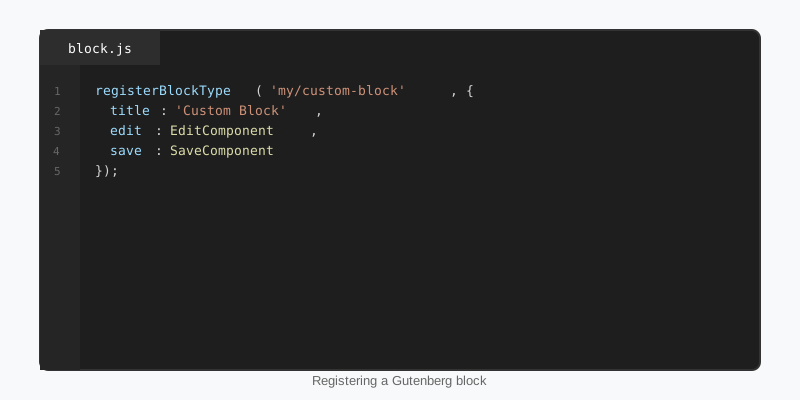
In index.js you call registerBlockType( metadata.name, { edit: Edit, save: () => null } ), importing metadata from block.json. Returning null from save is what makes the block dynamic: only the attributes are stored in post_content, as a JSON blob inside the block comment.
Server rendering with render.php
Server rendering is where Gutenberg block development meets ordinary WordPress PHP. The file named in render is included inside output buffering with three variables in scope: $attributes, $content (inner blocks HTML) and $block. Treat attributes as untrusted input, escape at output and return early when there is nothing to show.
<?php
/**
 * @var array    $attributes Block attributes.
 * @var string   $content    Inner blocks HTML.
 * @var WP_Block $block      Block instance.
 */
$league = sanitize_key( $attributes['league'] ?? '' );
$rows   = absint( $attributes['rows'] ?? 10 );

$args = array(
    'post_type'      => 'team',
    'posts_per_page' => $rows,
    'meta_key'       => 'points',
    'orderby'        => 'meta_value_num',
    'order'          => 'DESC',
);

if ( $league ) {
    $args['tax_query'] = array(
        array( 'taxonomy' => 'league', 'field' => 'slug', 'terms' => $league ),
    );
}

$teams = get_posts( $args );

if ( ! $teams ) {
    return;
}
?>
<table <?php echo get_block_wrapper_attributes(); ?>>
    <?php foreach ( $teams as $team ) : ?>
        <tr>
            <td><?php echo esc_html( $team->post_title ); ?></td>
            <td><?php echo esc_html( get_post_meta( $team->ID, 'points', true ) ); ?></td>
        </tr>
    <?php endforeach; ?>
</table>
get_block_wrapper_attributes() prints the class and inline style that the supports settings produce, so the colour and spacing the editor chose reach the front end without any code of yours. Because the query runs on every render, cache the result in a transient if the table is on a busy page.
Keep blocks small and let the editor style them
The most common mistake in Gutenberg block development is the mega block: one block that renders a whole section of hand-written HTML with its own stylesheet and a wall of settings. Editors cannot rearrange it, themes cannot restyle it and every design change is a code release. Build the standings table, the team crest and the section heading as separate blocks, then ship the arrangement as a block pattern.
Small blocks also inherit tooling you did not write. Every block, including yours, gets per-device margins, typography and visibility from StepFox Looks, and the Site Editor’s global styles apply to any block that declares the matching supports. A block that hard-codes its CSS opts out of all of that.
Testing and shipping
Gutenberg block development has three editor contexts to test before release: the post editor, the Site Editor inside a block theme template, and Appearance > Widgets on a classic theme. Each has a different editor context and a different set of parent blocks. Run npm run build for production assets and npm run plugin-zip to package only what the plugin needs.
If you ever convert a static block’s save output, add an entry to the deprecated array with the old save and attributes; otherwise every existing instance shows the validation error. Dynamic blocks sidestep this entirely, which is one more reason to start there. The Block Editor Handbook covers deprecations, the Interactivity API and block bindings when you are ready for them.
Key takeaways
- In Gutenberg block development,
block.jsonis the single source of truth; register it withregister_block_type( $dir )oninit. - Prefer dynamic blocks with a
renderfile: no saved markup, no validation errors, data always fresh. - Use
supportsfor colour, spacing and alignment instead of custom controls, and print them withget_block_wrapper_attributes(). - Preview dynamic blocks in the editor with
ServerSideRenderso editor and front end never drift. - Build many small blocks and compose them with patterns; never ship one mega block with its own CSS.
- Test in the post editor, the Site Editor and the widgets screen before every release.

