


The WordPress media library is a post type in disguise: every upload is an attachment row in wp_posts, with metadata in wp_postmeta, a set of generated sizes on disk, and a handful of filters that decide how heavy your pages become. Understanding that structure is what lets you control image sizes, query uploads like any other content, import files programmatically and keep a large library from turning into a slow, bloated mess.
What the WordPress media library really stores
In the database
Each upload creates one post with post_type = 'attachment', post_status = 'inherit' and post_mime_type set to the file’s type. The title, caption (post_excerpt) and description (post_content) live on that row. post_parent records which post the file was uploaded to, which is the only thing the “Attached to” column in wp-admin reflects.
The interesting data is in postmeta. _wp_attached_file holds the relative path under uploads/. _wp_attachment_metadata is a serialised array with the width, height, every generated size and its file name, and EXIF data. _wp_attachment_image_alt is the alt text. Our database tables guide covers where each of these sits.
On disk
A single 4000 px photo uploaded with default settings produces the original, a scaled copy (-scaled.jpg, capped at 2560 px), and thumbnail, medium, medium_large, large, 1536×1536 and 2048×2048 versions, plus one file per size your theme registers. Ten registered sizes on a news site with 20,000 images is 200,000 files, and every one is generated synchronously at upload time.
Controlling generated image sizes
Register only the sizes your templates actually render, and remove the defaults you do not use. The removal happens through intermediate_image_sizes_advanced, which receives the full list (core defaults and theme additions) just before generation. The third argument to add_image_size() is the crop flag; true is a centre crop, and an array such as array( 'center', 'top' ) anchors the crop for portrait subjects like player headshots.
add_action( 'after_setup_theme', function () {
    add_theme_support( 'post-thumbnails' );
    add_image_size( 'sf-card', 600, 600, array( 'center', 'top' ) );
    add_image_size( 'sf-hero', 1600, 900, true );
} );

// Drop default sizes the theme never renders.
add_filter( 'intermediate_image_sizes_advanced', function ( $sizes ) {
    unset( $sizes['medium_large'], $sizes['1536x1536'], $sizes['2048x2048'] );
    return $sizes;
} );

// Lower the "scaled" ceiling from 2560 px to 2000 px.
add_filter( 'big_image_size_threshold', function () {
    return 2000;
} );

// Slightly lower JPEG/WebP quality; 82 is the default.
add_filter( 'wp_editor_set_quality', function ( $quality, $mime_type ) {
    return 'image/webp' === $mime_type ? 78 : 80;
}, 10, 2 );
Changing sizes does not touch files already uploaded. After any change, run wp media regenerate --yes (add --only-missing to skip existing files) so the whole WordPress media library matches the new configuration. The add_image_size() reference explains the crop positions in detail.
Querying the media library like content
Because attachments are posts, WP_Query works on them. The two things people forget are post_status => 'inherit', since attachments never have publish status, and filtering by MIME type so a query for images does not return PDFs. The WP_Query guide covers the arguments used below.
$logos = new WP_Query( array(
    'post_type'      => 'attachment',
    'post_status'    => 'inherit',
    'post_mime_type' => array( 'image/svg+xml', 'image/png' ),
    'post_parent'    => $team_id,
    'posts_per_page' => 12,
    'orderby'        => 'menu_order',
    'order'          => 'ASC',
    'fields'         => 'ids',
    'no_found_rows'  => true,
) );

foreach ( $logos->posts as $attachment_id ) {
    echo wp_get_attachment_image(
        $attachment_id,
        'sf-card',
        false,
        array( 'loading' => 'lazy', 'decoding' => 'async' )
    );
}
Always output images through wp_get_attachment_image() rather than building an <img> tag from a URL. It adds srcset and sizes from the generated sizes, the stored alt text, width and height attributes that prevent layout shift, and native lazy-loading. A hand-written tag gets none of that.
Importing files programmatically
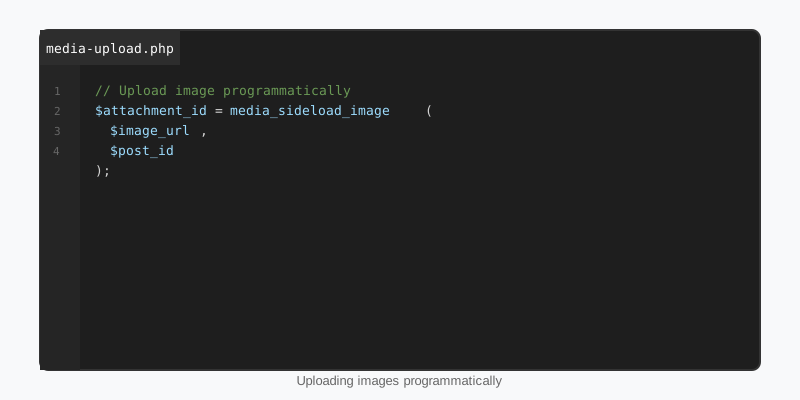
Data imports, migrations and sports feeds all need to put files into the WordPress media library without a human clicking Upload. media_sideload_image() downloads a remote file, creates the attachment, generates sizes and optionally attaches it to a post. It lives in an admin include file, so load the dependencies explicitly when calling it from cron or WP-CLI.
function sf_import_player_photo( $post_id, $url, $alt ) {
    require_once ABSPATH . 'wp-admin/includes/media.php';
    require_once ABSPATH . 'wp-admin/includes/file.php';
    require_once ABSPATH . 'wp-admin/includes/image.php';

    // Skip if this URL was already imported for this post.
    $existing = get_posts( array(
        'post_type'   => 'attachment',
        'post_parent' => $post_id,
        'meta_key'    => '_sf_source_url',
        'meta_value'  => $url,
        'fields'      => 'ids',
        'numberposts' => 1,
    ) );
    if ( $existing ) {
        return (int) $existing[0];
    }

    $attachment_id = media_sideload_image( $url, $post_id, $alt, 'id' );
    if ( is_wp_error( $attachment_id ) ) {
        return $attachment_id;
    }

    update_post_meta( $attachment_id, '_wp_attachment_image_alt', sanitize_text_field( $alt ) );
    update_post_meta( $attachment_id, '_sf_source_url', esc_url_raw( $url ) );
    set_post_thumbnail( $post_id, $attachment_id );

    return $attachment_id;
}
The 'id' return type was added in WordPress 4.8; without it the function returns an HTML string. Recording the source URL in meta is what makes an import idempotent, so re-running a feed sync does not fill the library with duplicates. See the media_sideload_image() reference for the full signature. For files already on the server, use wp_insert_attachment() followed by wp_generate_attachment_metadata() and wp_update_attachment_metadata().
Optimization: formats, lazy-loading and delivery
WordPress 5.8 added WebP upload support and 6.5 added AVIF, both of which need the server’s GD or Imagick build to support the format. You can have core generate WebP sub-sizes from JPEG uploads with the image_editor_output_format filter, at the cost of doubling the file count. For most sites a CDN or an image plugin that converts on delivery is the simpler path. Either way, keep the upload itself reasonable: big_image_size_threshold exists so that a 24-megapixel camera file never becomes the source of a srcset.
Lazy-loading is on by default for every image except the first few in the content, which core marks as high priority to protect Largest Contentful Paint. Do not add a lazy-loading plugin on top; it usually delays the hero image and makes LCP worse. In a block theme, the image block already outputs the right attributes, and per-device sizing of image and cover blocks is exactly what StepFox Looks handles without extra CSS. The broader checklist is in our performance optimization guide.
Keeping a large library manageable
- Restrict upload types. Filter
upload_mimesto remove anything you do not need; SVG in particular should only be enabled with sanitisation. - Enforce alt text. Query attachments with no
_wp_attachment_image_altand surface them in a dashboard widget; missing alt text is both an accessibility and an SEO problem. - Find unused files. An attachment with no
post_parent, not set as any featured image and not referenced in anypost_contentis usually safe to delete. Usewp_delete_attachment( $id, true )so the files are removed as well as the row. - Offload storage. Past a few tens of gigabytes, move
uploads/to object storage with a plugin that rewrites URLs; the WordPress media library UI keeps working because it only reads metadata. - Audit with WP-CLI.
wp media image-sizelists registered sizes, andwp post list --post_type=attachment --format=countgives a fast count per site on a multisite network.
Key takeaways
- The WordPress media library is the
attachmentpost type plus_wp_attachment_metadata; query it withWP_Queryandpost_status => 'inherit'. - Register only the sizes you render, remove unused defaults with
intermediate_image_sizes_advanced, then runwp media regenerate. - Output images with
wp_get_attachment_image()to getsrcset, alt text, dimensions and lazy-loading for free. - Import with
media_sideload_image( $url, $post_id, $desc, 'id' )and store the source URL so imports stay idempotent. - Let core handle lazy-loading; tune
big_image_size_thresholdand quality instead of stacking plugins. - Restrict MIME types, enforce alt text and prune orphaned attachments before the library becomes a problem.

