
Tutorial · Yardline football theme
How to use the Yardline plugin
Yardline Stats turns WordPress into a full American-football site: teams, players, fixtures, standings, brackets and a weekly pick’em. This step-by-step guide, with screenshots and screen recordings, shows how to build with it in the block editor with Stepfox Looks, and in Elementor.
On this page
What you getLeague dataBlock editorElementorGood to know
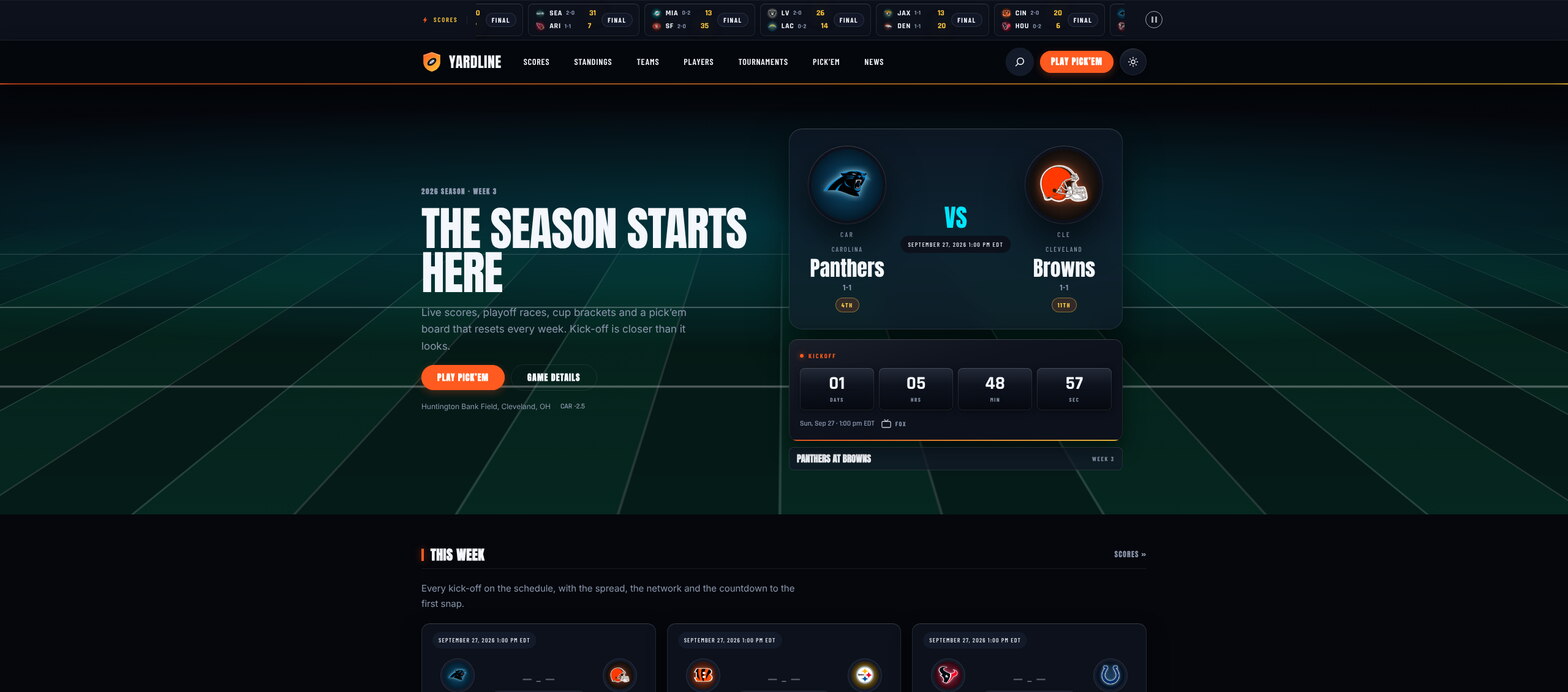
The Yardline demo front page: every element on it is a block from the plugin.
The plugin
What the plugin gives you
One plugin powers both editors. It registers the sports content types, keeps the standings and results in sync, and exposes everything as native blocks and native Elementor widgets, so you build pages the same way you build any other page.
100+
Editor blocks
Hero sections, scoreboards, standings, rosters, brackets and dozens of small composable field blocks.
32
Elementor widgets
Plus 3 dynamic tags, rendered by the same engine: identical output in either editor.
4
Content types
Teams, Players, Games and Competitions, organised by conference, division and position.
Live
Game-day features
Score tickers, kickoff countdowns, playoff races and a logged-in pick’em game with its own leaderboard.
Before you build
Add your league data first
Every block and widget reads from four admin menus. Enter a result once and the standings, win bars, streaks, playoff seeds and head-to-head records update everywhere on the site.
When the plugin is active you get four new menus in wp-admin: Teams, Players, Games and Competitions. Teams belong to Conferences and Divisions, players have Positions, and each game stores kickoff time, venue, TV network, the point spread and quarter-by-quarter scores.
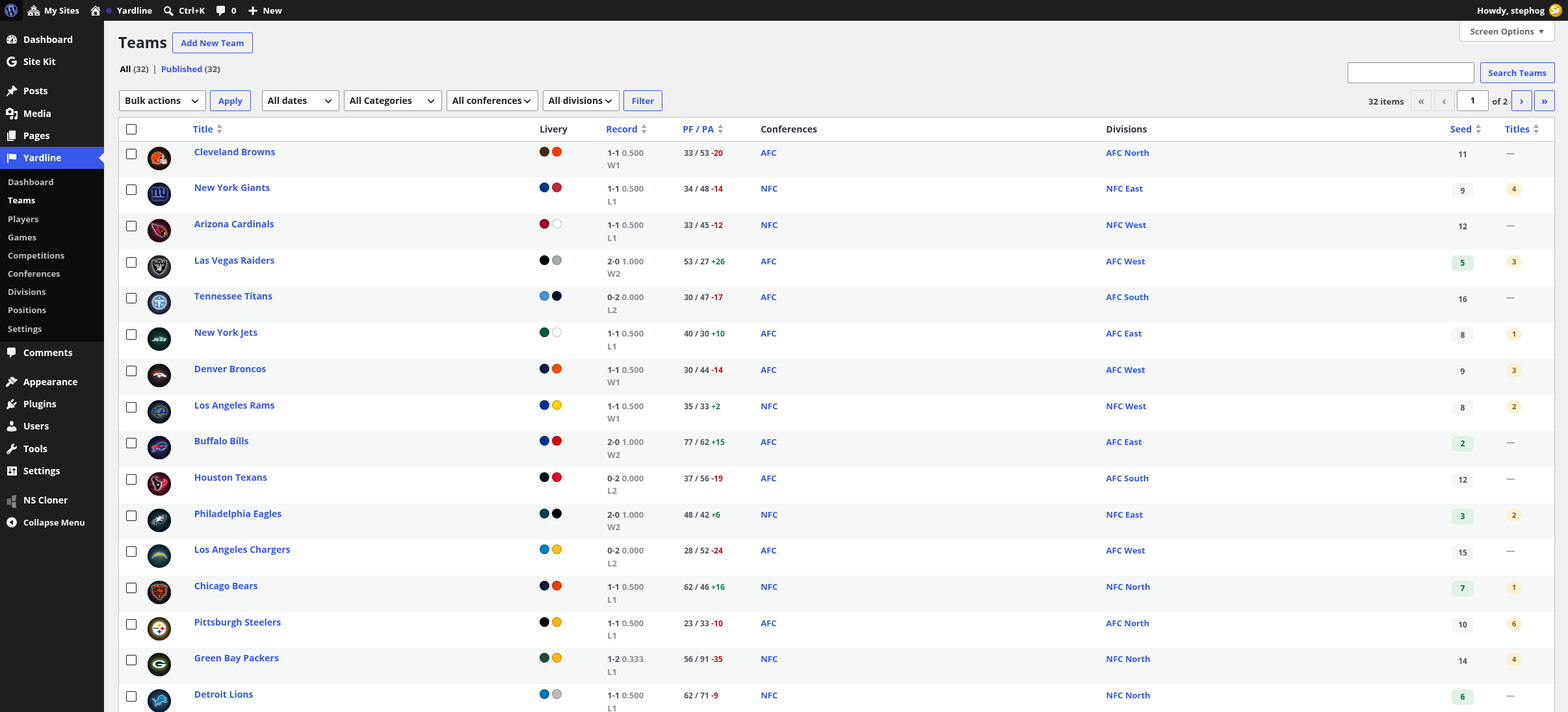
The Teams screen: records, points for and against, conferences, divisions and playoff seeds at a glance.
Start with the demo content if you want to see the blocks filled in straight away. It installs a full 32-team season that you can edit or remove later; your own teams and games are never touched.
Guide 1
Block editor, with Stepfox Looks
The Yardline block theme ships with zero CSS of its own: every visual decision is an editable attribute on a block. That is what the Stepfox Looks plugin does. It adds a responsive styling panel to every block in the editor, so you restyle the plugin’s sports blocks the same way you restyle a paragraph.
Install and activate
- Install the Yardline theme from Appearance › Themes.
- Activate the Stepfox Looks plugin. It powers the responsive styling panel and the theme’s design attributes.
- Activate the Yardline Stats plugin. It registers the content types and all the sports blocks.
- Add teams, games and a competition (or import the demo content) so the blocks have something to show.
Find the Yardline blocks in the inserter
Edit any page, open the inserter with the + button and type “yardline”. Everything the plugin registers shows up: big ready-made sections such as Standings, Scoreboard, Game Hero and Bracket, next to small field blocks such as Crest, Club Name, Score and Playoff Seed that you can compose into your own cards.
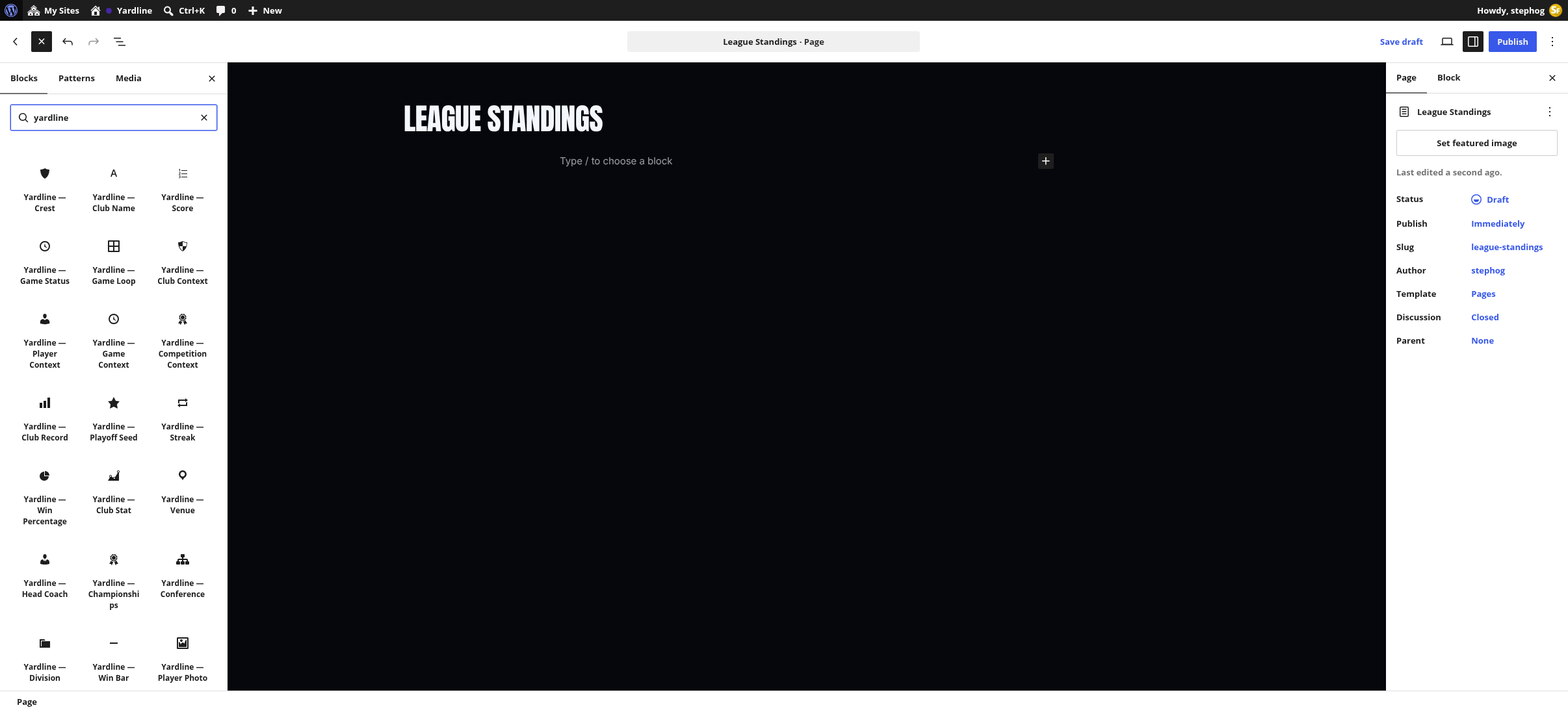
The block inserter filtered to the plugin: Standings, Crest, Club Name, Score, Game Status, Game Loop and many more.
Insert a block and pick its data
Click a block to insert it and it renders live in the canvas with your real data, no placeholders. The sidebar holds its content settings: here the Standings block lets you choose the conference and division, how many rows to show, compact or full columns, and whether to draw win-rate bars behind each row.
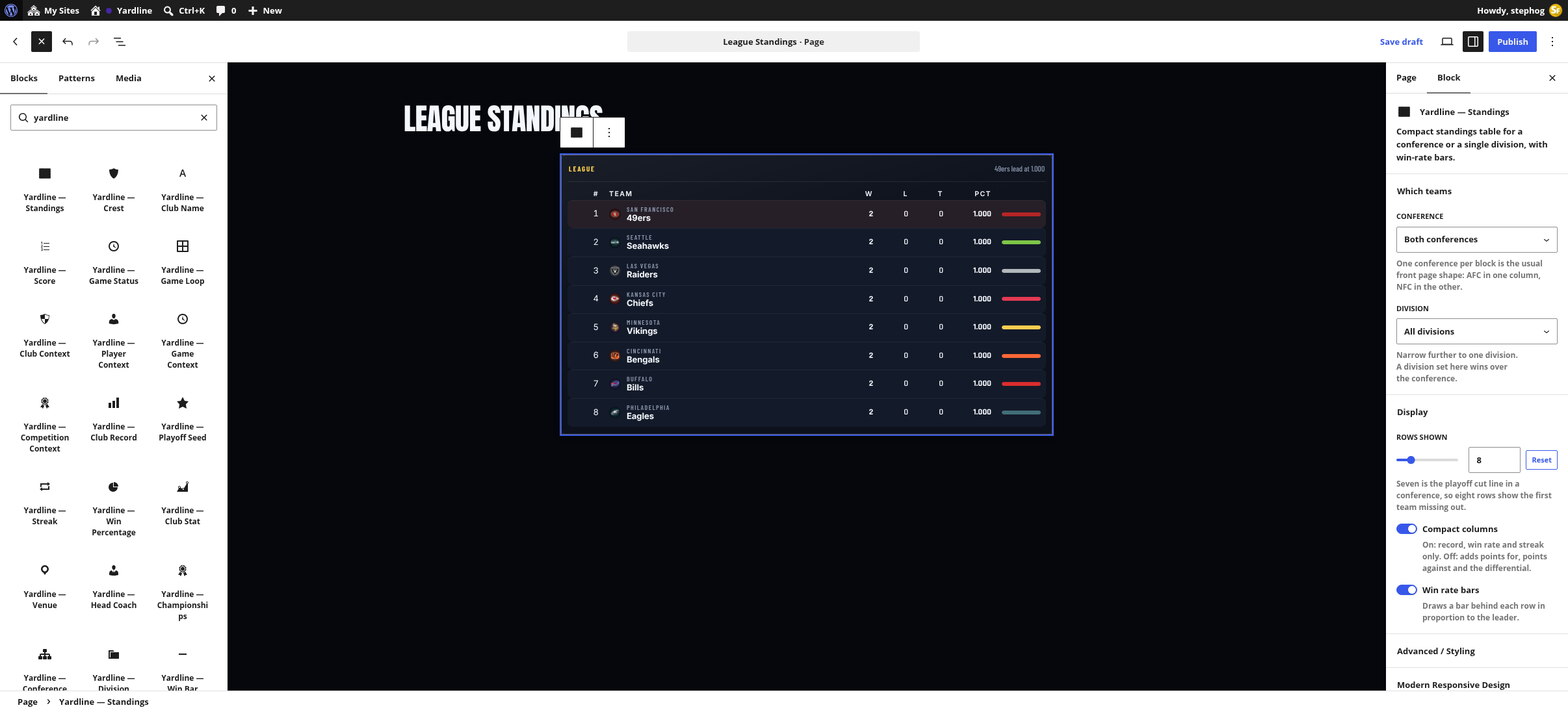
The Standings block rendered live in the canvas, with conference, division, rows, compact columns and win-rate bars in the sidebar.
Open Modern Responsive Design
Below the block’s own settings sits the Stepfox Looks panel, Modern Responsive Design. Pick a device tab (Desktop, Tablet, Mobile or Hover), then open any section: Layout & Positioning, Typography, Spacing, Borders, Border Radius, Flexbox & Advanced, Background. Values cascade down from desktop and each device can override them, so a block can be four columns on desktop and a single stacked column on phones.
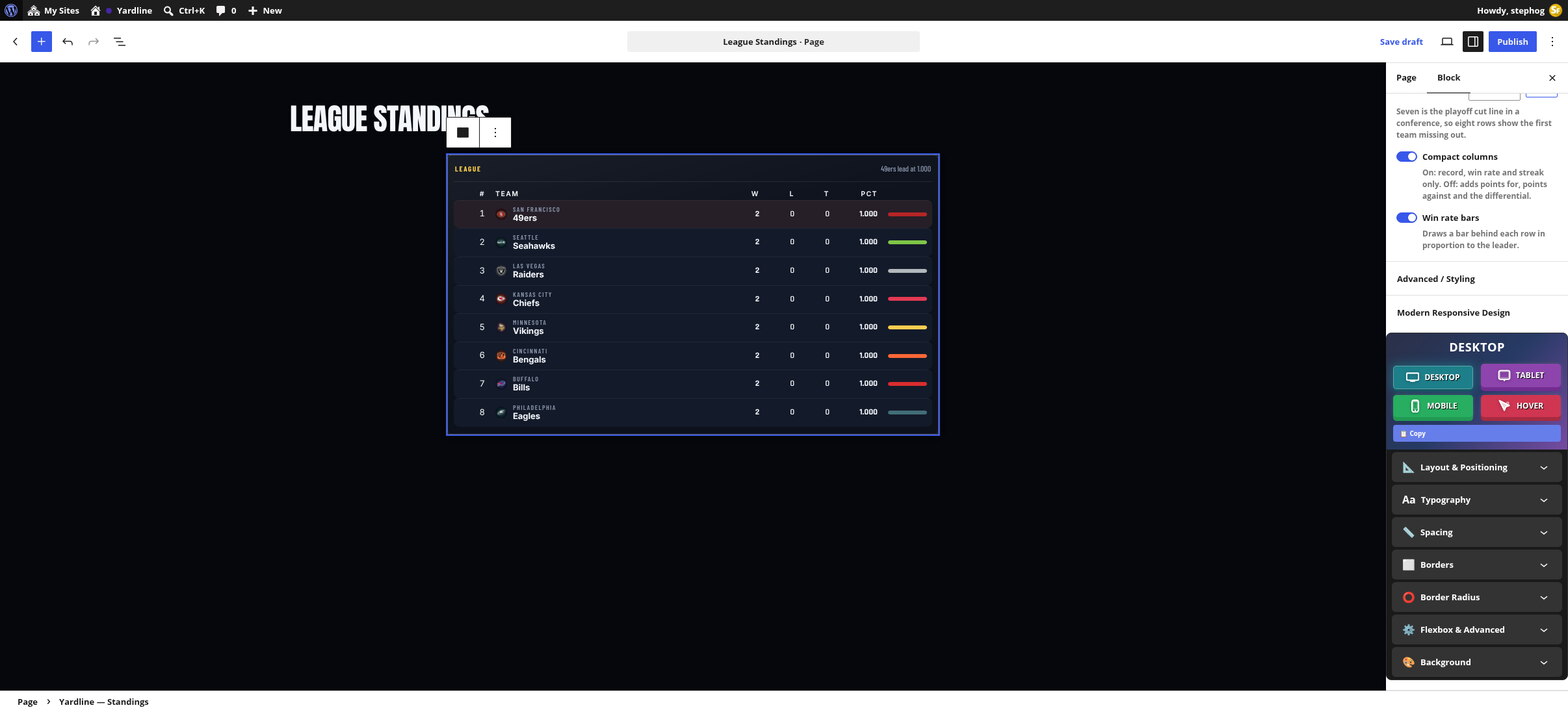
The Modern Responsive Design panel: Desktop, Tablet, Mobile and Hover tabs over Layout, Typography, Spacing, Borders and Background sections.
Change a value and the canvas updates live
Here the Spacing section gets 48px of padding on the desktop tab: the table in the canvas re-renders instantly, and the device tab shows a badge counting the styles you have set on it. Nothing is written into a stylesheet. The values live on the block itself, so duplicating a block carries its whole design with it.
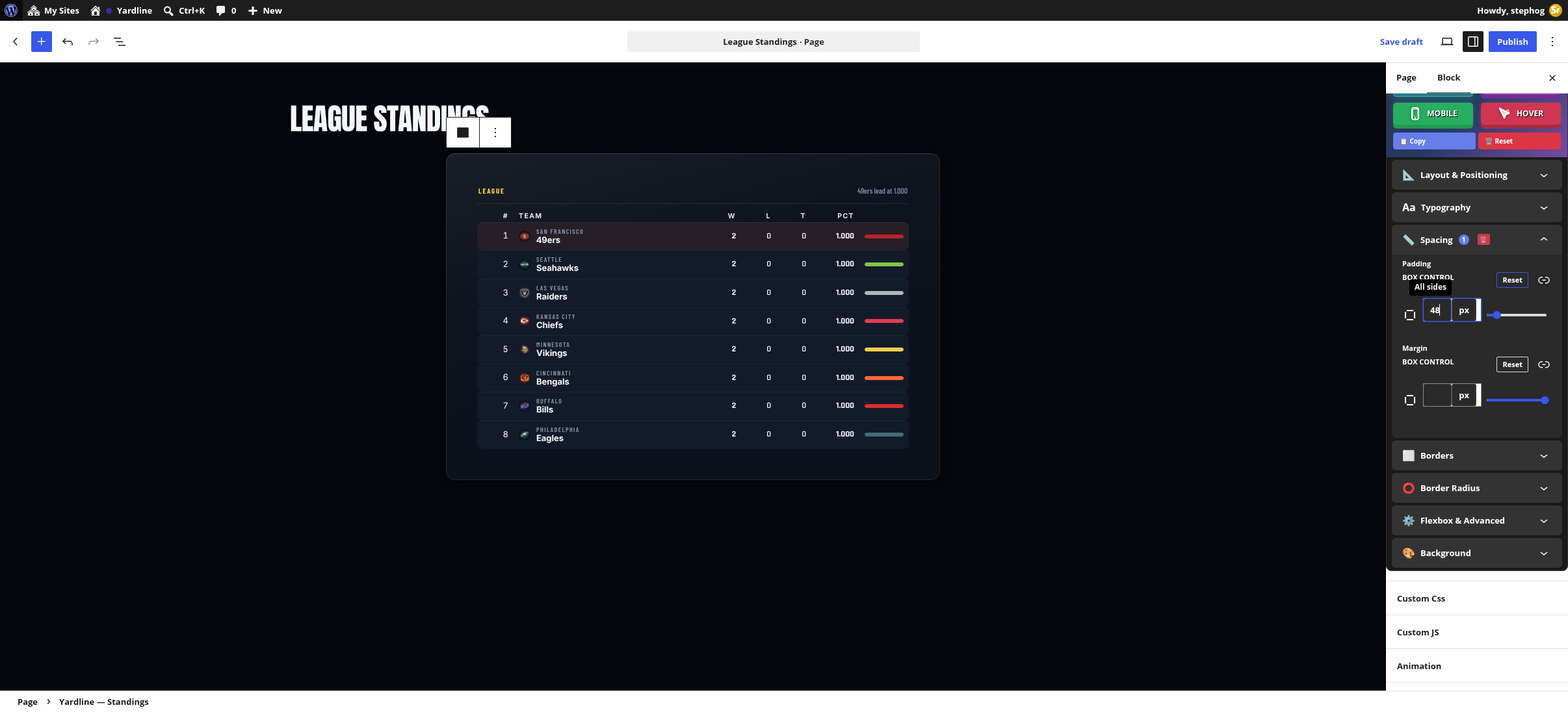
48 pixels of padding entered in the Spacing section, and the standings table re-rendered with the new spacing.
Watch the whole flow, start to finish
The recording below runs through everything above in about thirty seconds: naming the page, searching the inserter, inserting the Standings block, opening Modern Responsive Design and adding the padding, with the canvas updating at every step.
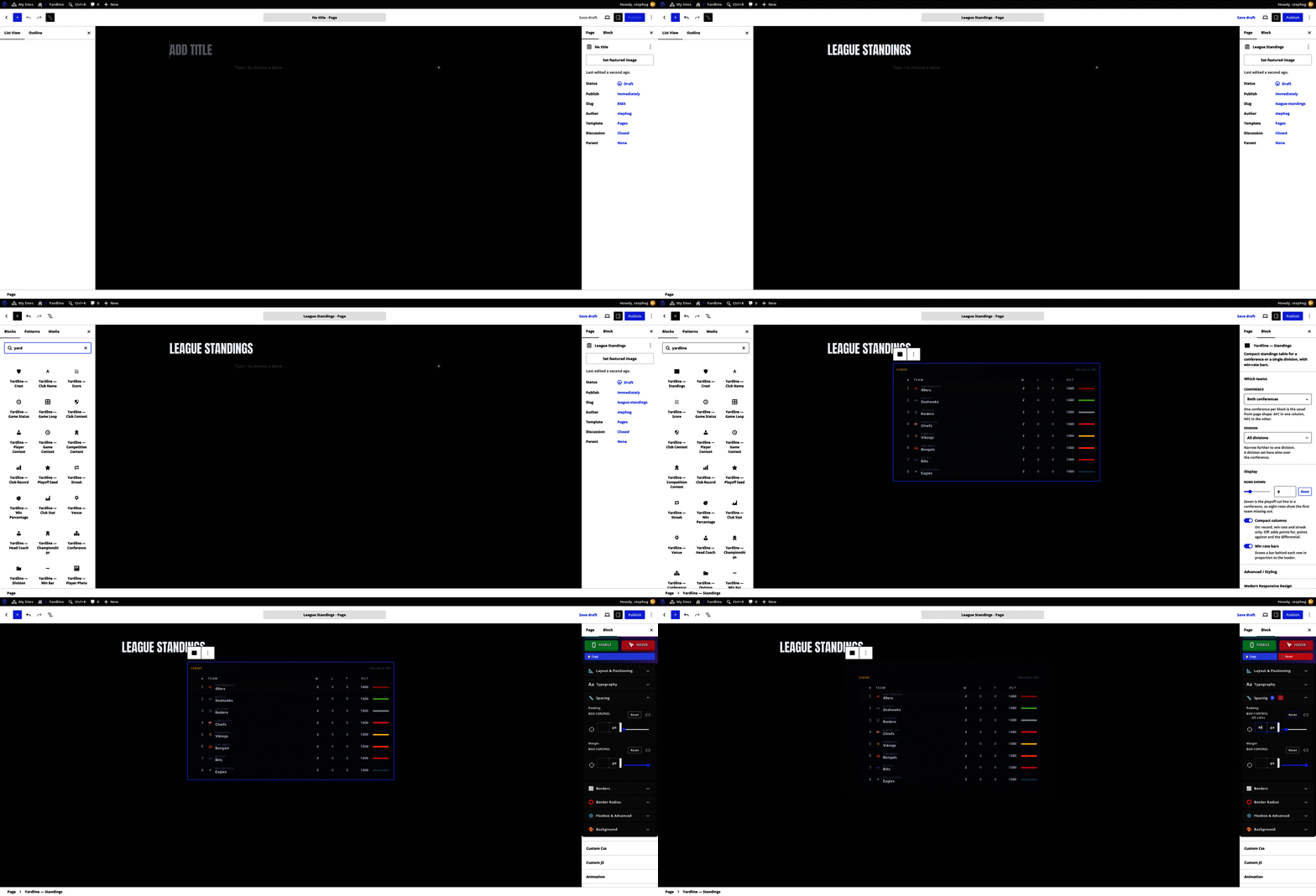
Screen recording: inserting the Standings block and styling it with the responsive panel.
Guide 2
The same plugin, in Elementor
Prefer Elementor? The plugin ships an Elementor module with 32 widgets and 3 dynamic tags, and the Yardline Elementor theme is built entirely with them. The widgets call the exact same renderers as the blocks, so what you see on the block-theme demo is what the widgets output, pixel for pixel.
Set up, then search the panel
Activate Elementor, the Yardline Elementor theme and the Yardline Stats plugin. The Elementor module loads automatically, no extra setup. Open any page with Elementor and type “yardline” into the widget search: the whole family appears, from Scoreboard and Game Cards to Team Rosters, Player Grids, Brackets and the Kickoff Countdown.
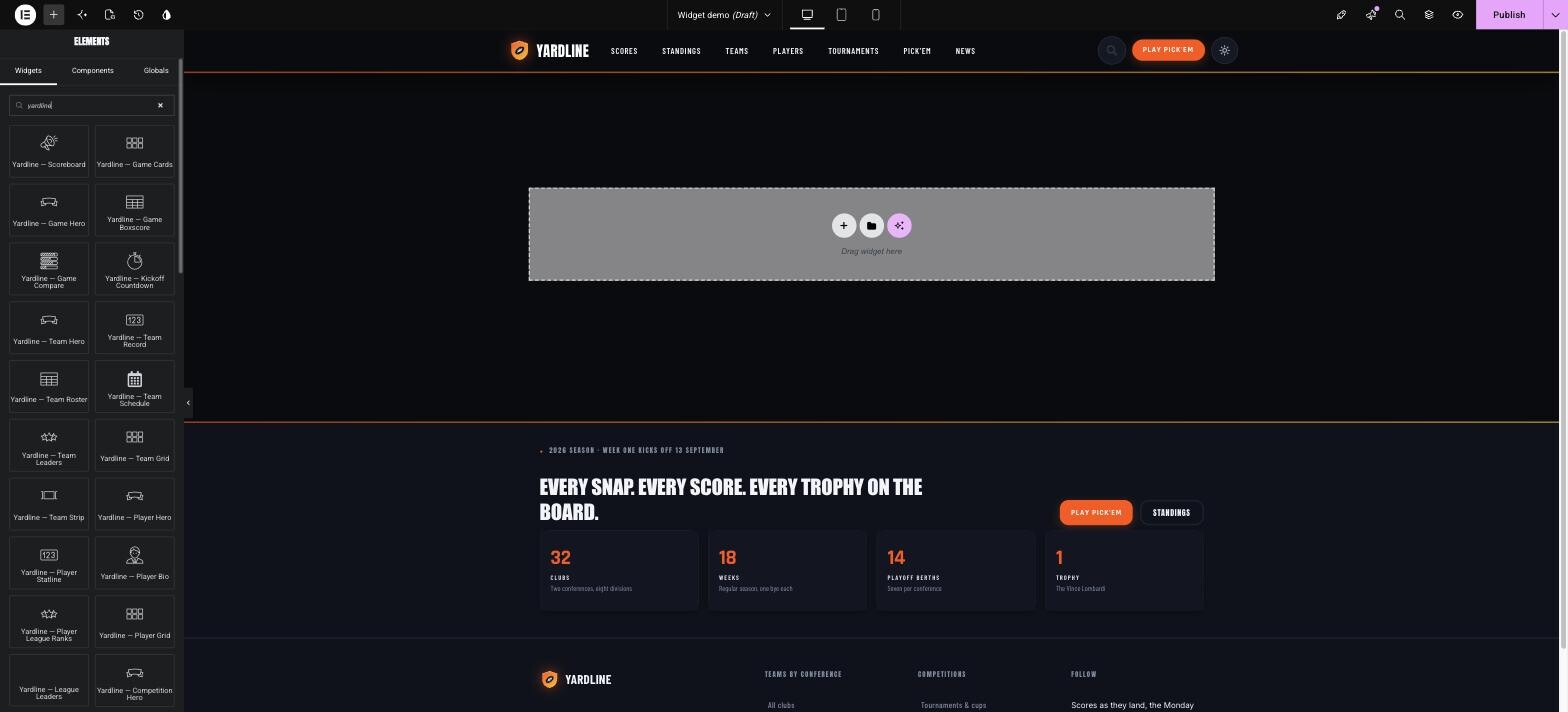
The Elementor widget panel filtered to the plugin: Scoreboard, Game Cards, Game Hero, Team Hero, Team Roster, Player Grid and more.
Add a widget and set its content
Drop a widget into a container (or click it with a container selected) and it renders with live data straight away. The Content tab holds the sports settings. The Scoreboard widget, for example, switches between ticker and grid modes and lets you pick the season, season type, week and number of games. Widgets that show a single team, player or game default to the current one on that entity’s own page, or let you pick one manually anywhere else. That is how one Theme Builder template can serve all 32 team pages.
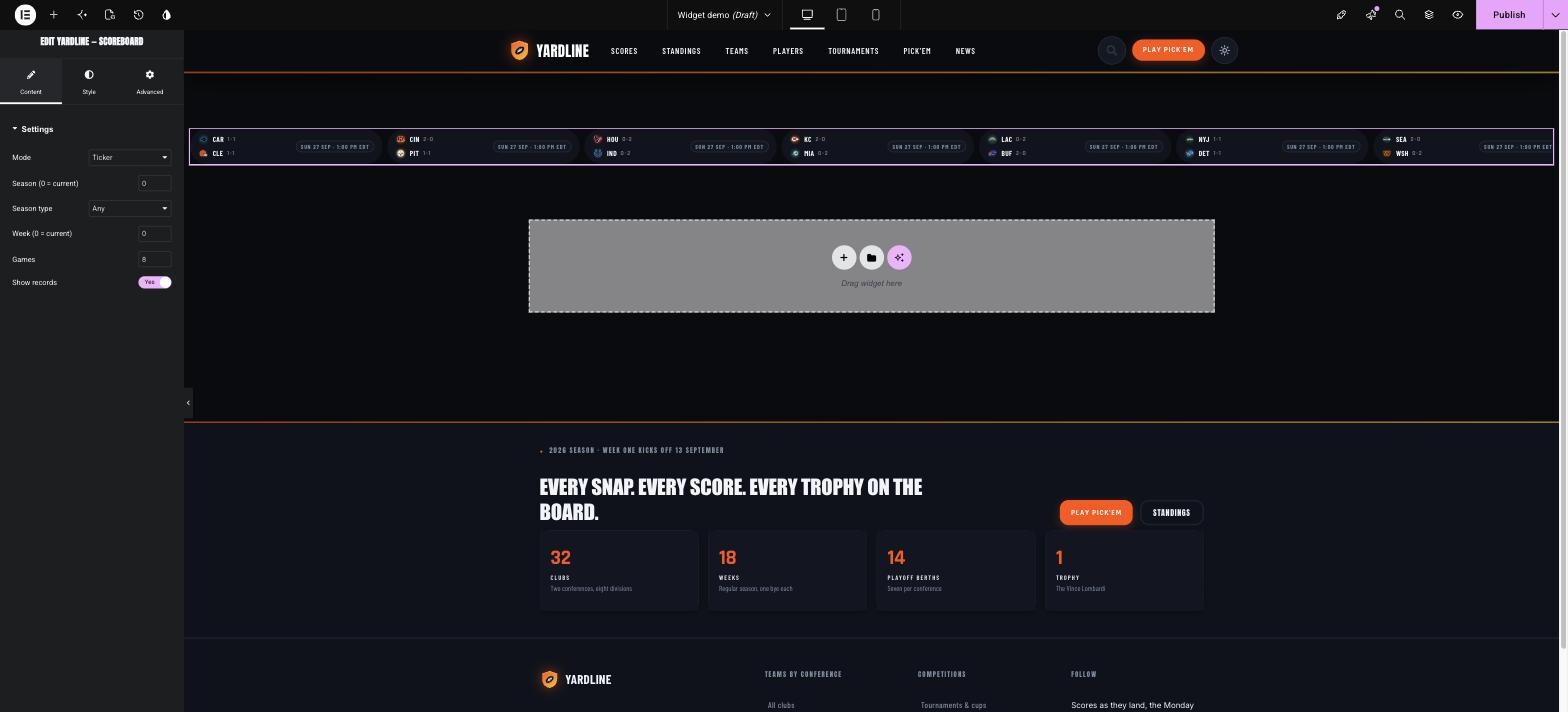
The Scoreboard widget as a live score ticker in the Elementor canvas, with Mode, Season, Week, Games and Show records in the panel.
Restyle it from the Style tab
Every widget’s Style tab exposes the Yardline Tokens: Accent, Panel, Text and Muted colours plus corner radius. They override the design system for that one widget only, so you can re-skin a single scoreboard without touching the rest of the site. Elementor’s usual Advanced tab (margins, motion effects, responsive visibility) works on top as normal.
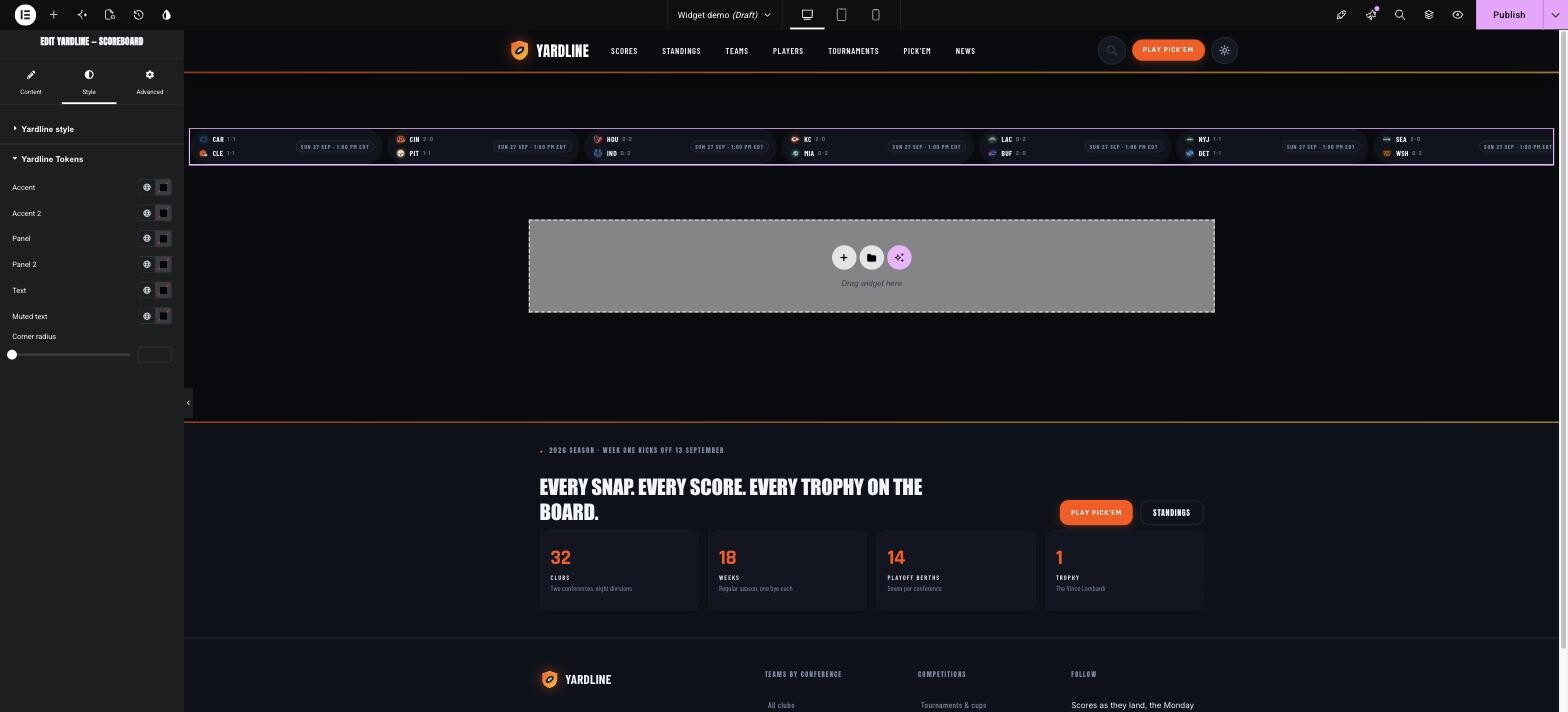
The Style tab of a Yardline widget: Accent, Accent 2, Panel, Panel 2, Text, Muted text and Corner radius.
Watch it in Elementor
The recording below shows the Elementor side: searching the panel, adding the Scoreboard widget to a fresh page, its Content settings, and the Yardline Tokens in the Style tab.
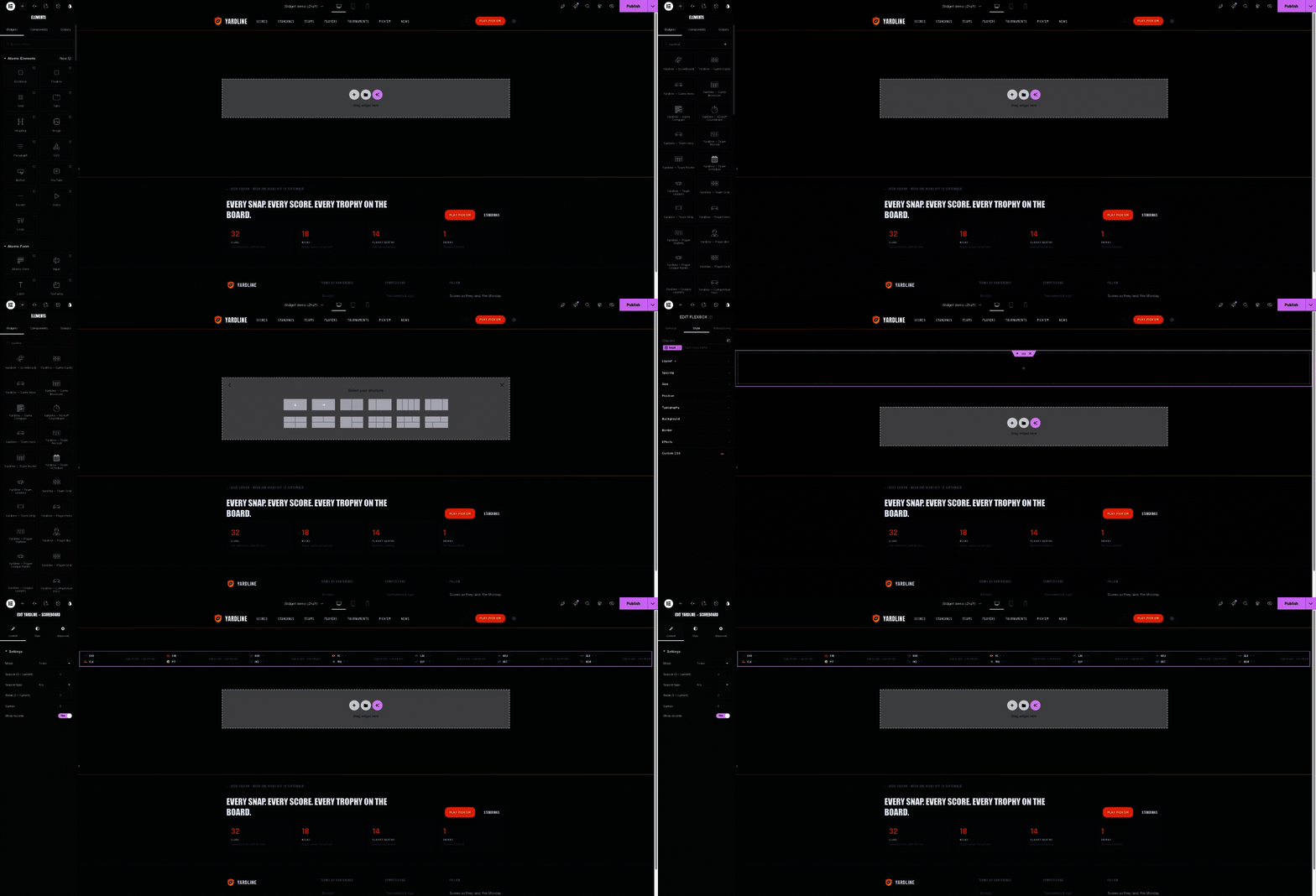
Screen recording: inserting the Scoreboard widget and opening its Content and Style settings.
The result
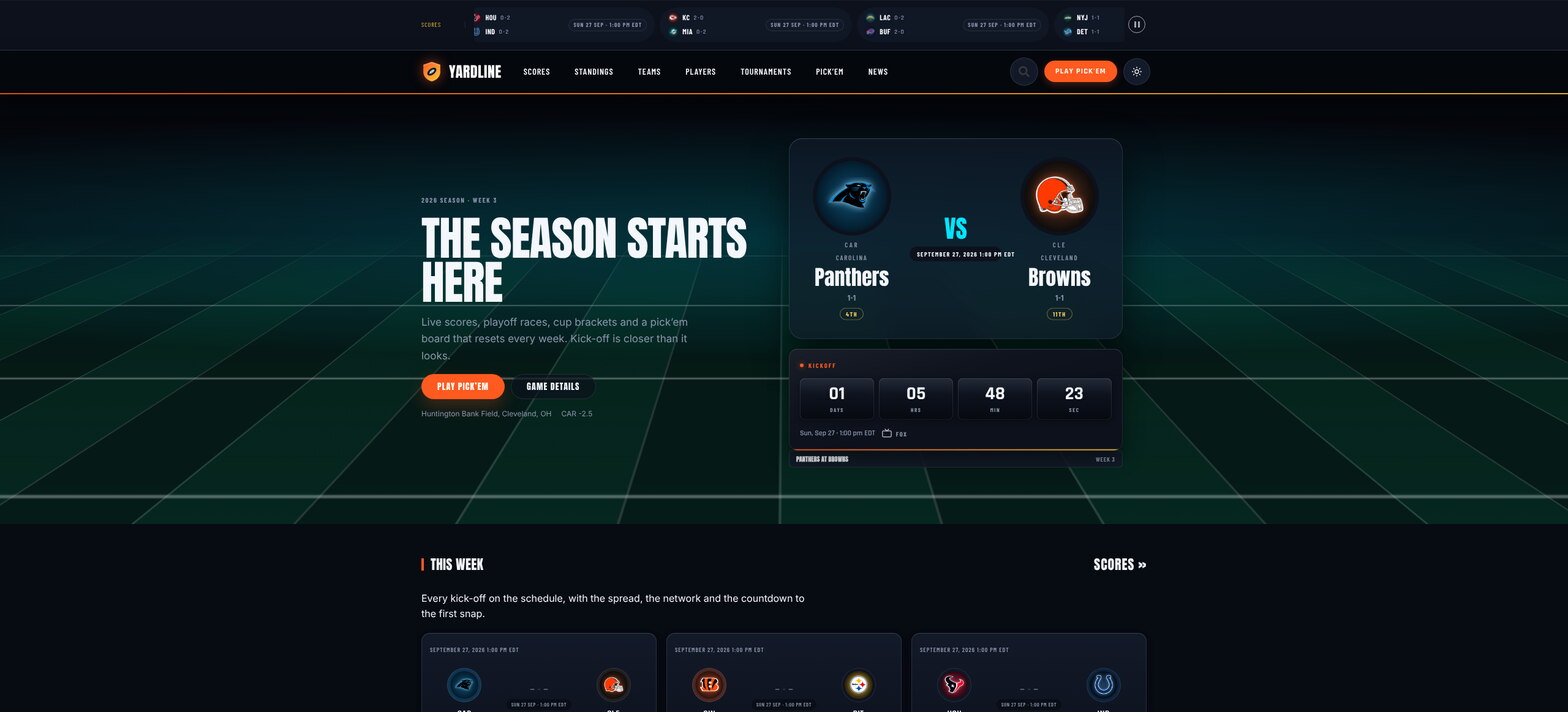
The Yardline Elementor demo front page: the same design as the block theme, built widget by widget.
Good to know
Questions, answered
Do I need both editors?
No. The block theme needs Stepfox Looks; the Elementor theme needs Elementor. Both run on the same Yardline Stats plugin and the same league data, so you can switch later without re-entering anything.
Where do the standings come from?
They are computed from the games you enter (or import). Results, win bars, streaks, playoff seeds and head-to-head records update everywhere the moment a score is saved.
Can I restyle a single block?
Yes. In the block editor every block carries its own responsive design attributes; in Elementor every widget has Yardline Tokens on its Style tab. Neither touches the rest of the site.
Is there a licence key?
No. The theme and the plugin check stepfoxthemes.com for updates and show the normal “Update available” rows in wp-admin.
See it running, then make it yours
Both demos run the exact plugin described on this page, filled with a full 32-team season. Click through the standings, brackets and pick’em to see every block and widget live, then get the bundle for a one-time $99.
Theme overview|Product page|Elementor demo|Support
